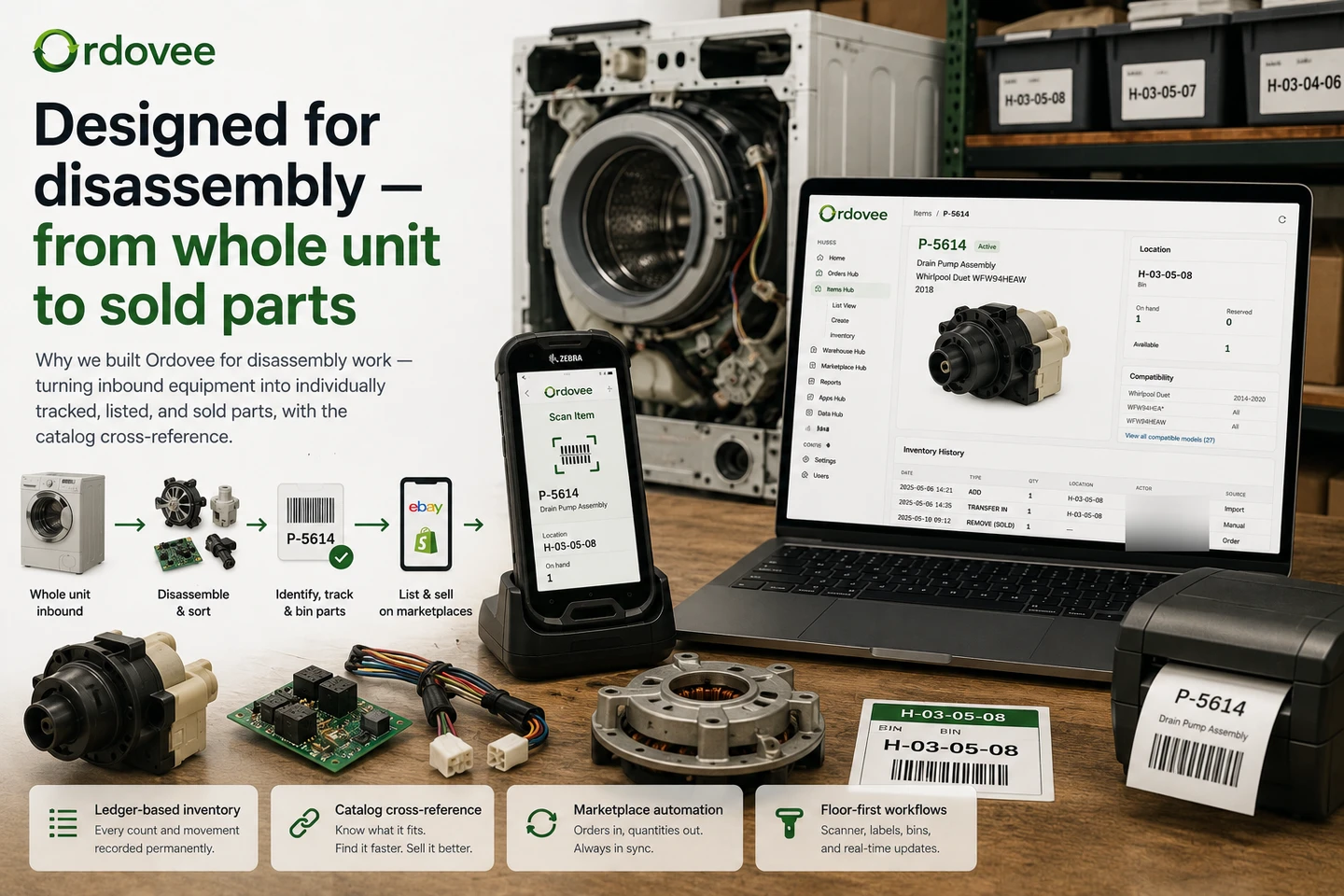
A washing machine shows up on the dock. Two hours later it is fifteen sellable parts — a motor, a control board, a pump, a door latch, an agitator, a set of wiring harnesses. Each part has to be sorted, documented, and listed for sale.
Sorting decides what is worth keeping, what gets scrapped, and where the keepers go. Documentation gives each part a SKU, photo, location, and answer to “what does this fit?” Listing turns that record into a marketplace offer: title, price, photos, and a live listing on eBay or Shopify.
The same shape repeats with every inbound unit, every day.
We built Ordovee to streamline that process — to make sorting faster, documentation easier, and reduce the work between disassembly and a live listing. One system tracks every step from disassembly to sale.
What is Structured Disassembly Management?
Structured Disassembly Management (SDM) is the term we use for software built around operations that take whole units apart and sell the resulting parts. It brings together the disassembly workflow, the inventory created by that workflow, and the compatibility relationships that connect each part to the units it fits. Similar operations may describe their software needs in terms like dismantling inventory, salvage inventory, or parts-out management.
Ordovee is a Structured Disassembly Management platform. We use the term because the work — taking a unit apart, cataloging what came off it, tracking it, and selling it — needed a name that covered all of it.
The shape of disassembly work
Disassembly is its own discipline. It is also often described as parts harvesting — recovering the components still worth selling from a unit that has reached the end of its own life. Inbound equipment arrives — appliances, vehicles, HVAC units, powersports, marine engines, computers, lawn and outdoor equipment. A shop that handles several of these categories is effectively a generalist dismantler: no single vertical and often no complete catalog it can simply license. The workflow still repeats from unit to unit: photo, ID, SKU, location, listing.
A single inbound unit can become forty sellable parts. Each one is one-of-one until the next donor unit arrives. The catalog is typically long-tail — most parts sell slowly but profitably, sometimes months after the part hit the shelf.
That work has a particular shape:
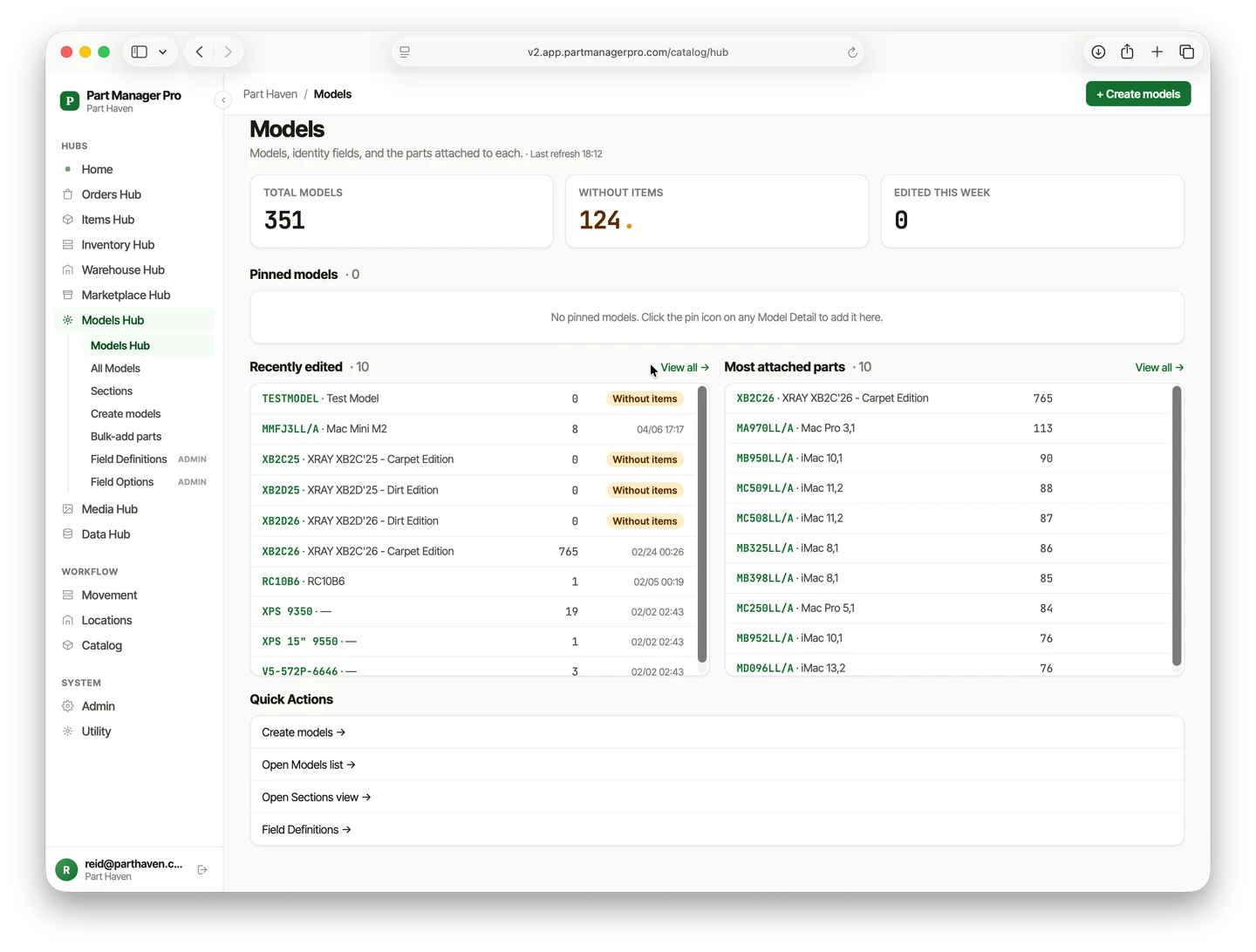
- High SKU count, low quantity per SKU. A disassembly operation with two hundred donor units already has thousands of distinct parts. Most have a quantity of one — one-of-a-kind inventory, where the record matters more than the count, because there is no second unit to fall back on.
- Identification is a major part of the job. A pump from one Whirlpool model may fit a different set of machines than a visually similar pump from another. Knowing what fits what is the difference between a part that sells and a part that sits.
- Marketplace selling is common. eBay and Shopify are frequent destinations, with other marketplaces depending on the category. Buyers often search by the model they own, which makes fitment data an important part of how listings get found and evaluated.
- The warehouse is the operation. Bins, shelves, labels, a scanner, a printer. The software has to keep up with the floor.
Where the friction shows up
Walk through a typical teardown day before purpose-built software exists for it:
- An inbound unit comes in for teardown. Each part needs a SKU. The SKUs end up on a sticky note, a clipboard, or in someone’s notebook.
- The parts go into a staging bin labeled “to-be-listed.” Some have tags. Some don’t. The lister has to identify each one again at listing time.
- Listing each part means opening the marketplace, identifying the right part, writing the title, uploading photos, and setting the price. Multiply that across dozens of parts from one donor and the listing work quickly becomes a major chunk of the day.
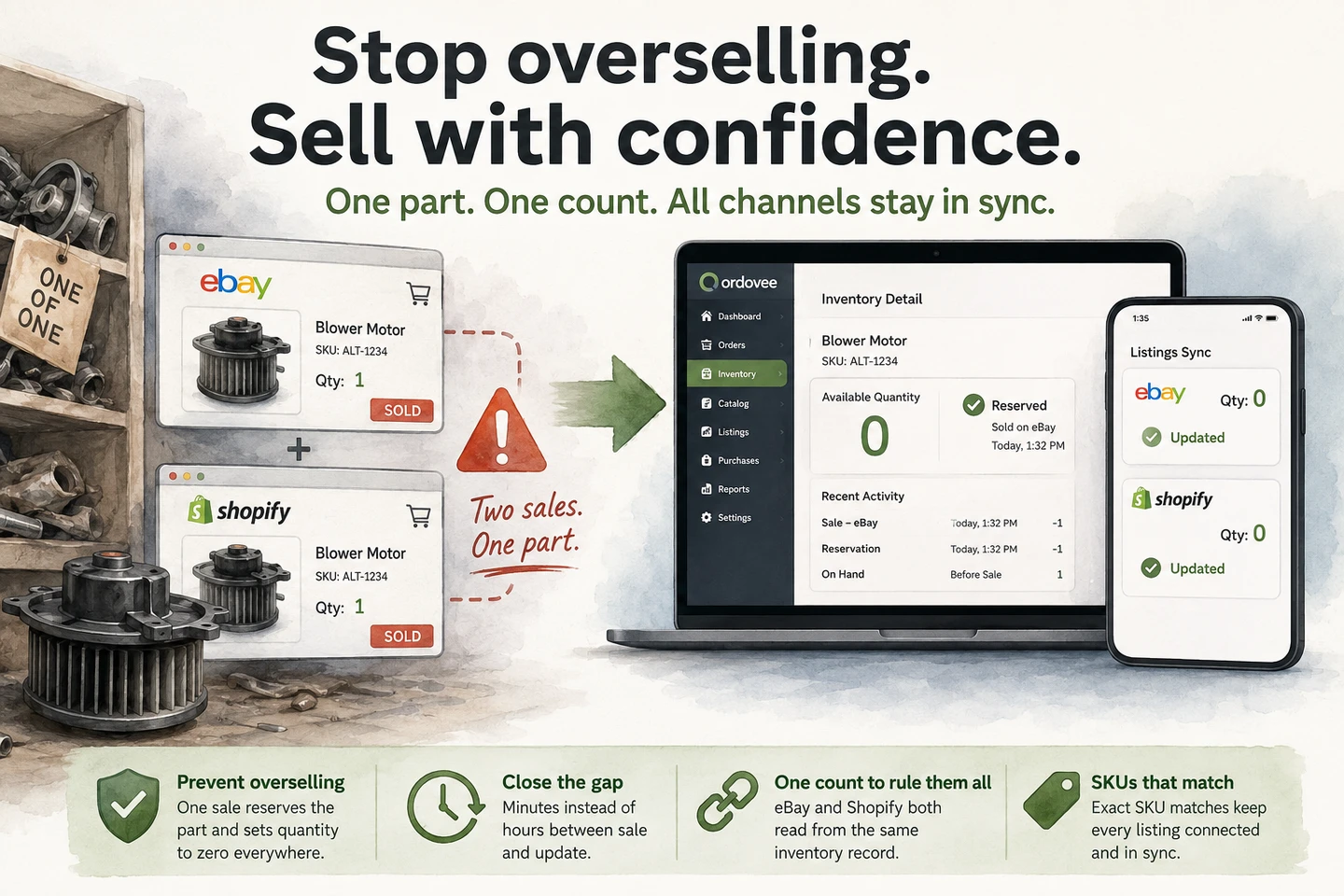
- A part sells. eBay updates that listing, but the warehouse record, spreadsheet, or other sales channels may still need to catch up.
- A customer asks “do you have a window regulator for a 2019 Sienna?” Someone walks to the shelf. Or checks their memory of what came off the donor unit two months ago.
- A new hire arrives. The knowledge of what came off which donor lives in one person’s head. Onboarding becomes slower because the new hire has to learn knowledge that was never captured in the system.
Each of these is a place where time leaks, mistakes get expensive, and the system lives in someone’s head instead of in the software.
Want to see what the alternative looks like? Walk through the product overview →
What we set out to build
Two halves, given equal weight from the start: inventory management and catalog cross-reference.
The inventory side is the ledger — every count, move, and adjustment recorded in the ledger rather than overwritten in place. The system of record lives in one place. The inventory record persists as the part moves from staging to a permanent location, so the history follows the part instead of being recreated at each step.
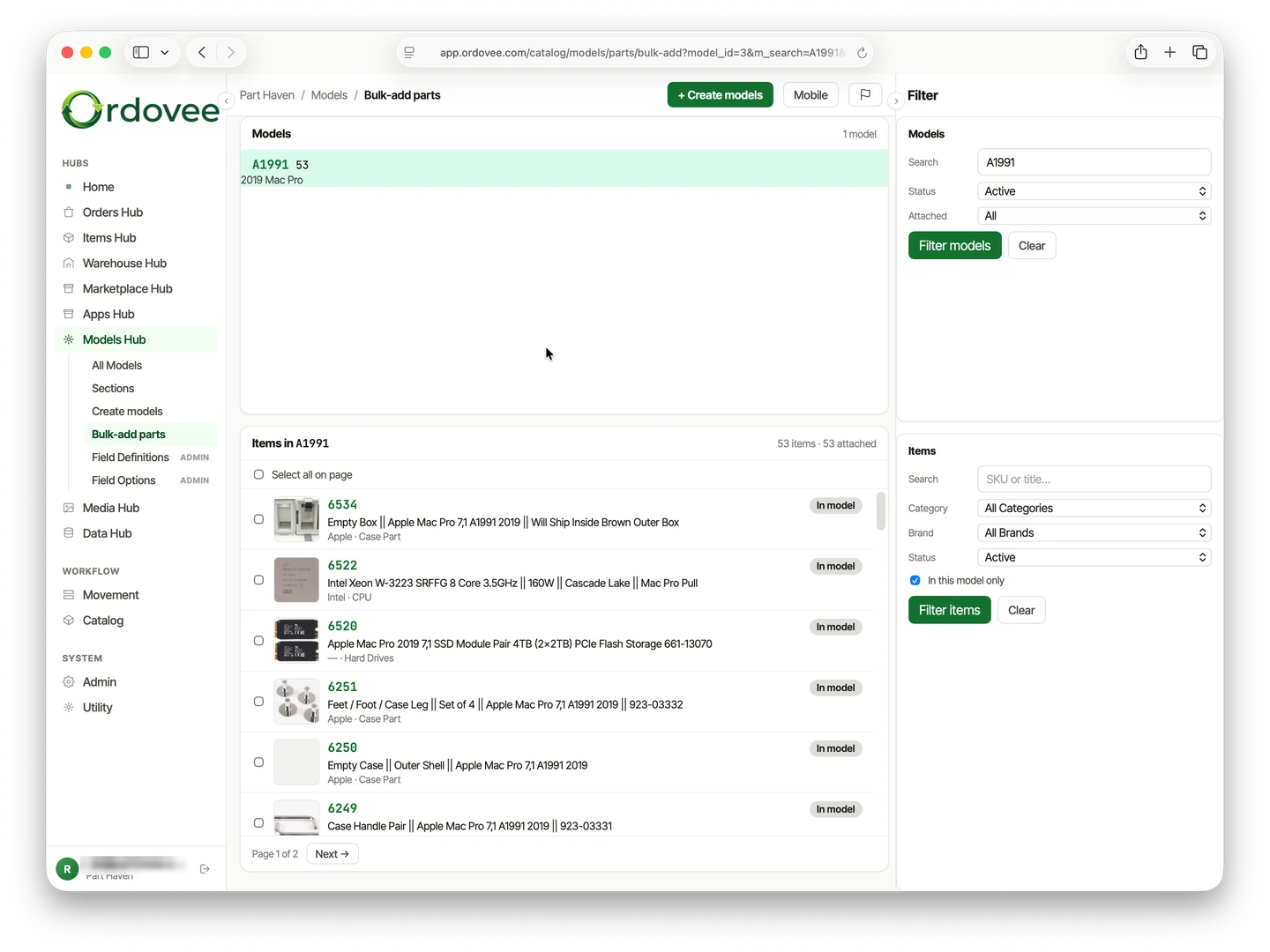
The catalog side is the compatibility layer — every part linked to the units, vehicles, or equipment it fits. Once compatibility is mapped, a question like “do you have one for a 2019 Mercury 90hp?” becomes a catalog search instead of a walk to the shelf. The compatibility mapping guide covers how the wiring works.
Both halves talk to each other. A buyer searches by the model they own on eBay. Ordovee knows which parts are compatible with that model and which SKUs represent those parts. The marketplace quantity is kept aligned through Ordovee’s listing mirror and automation engine. When the order arrives, Ordovee reserves the unit, the order moves through picking and shipment, and the ledger records the resulting inventory movement.
How that shows up in the product
The decisions made at the start are the decisions you see everywhere now:
- The ledger is the system of record. Every count, move, and adjustment is recorded in the ledger rather than overwritten in place. The screens you see are derived from it. The ledger explainer covers how that works in practice.
- SKU normalization is built in. Ordovee can generate missing SKUs in bulk, warn when a numeric SKU may have lost its leading zeros, normalize case for matching, and flag duplicates. The SKU strategy guide covers why this matters.
- Compatibility runs in parallel. Fitment search from either direction — find every part that fits, or find every model a part fits.
- Marketplace sync is structured. eBay and Shopify listings get mirrored, orders get imported, quantities get pushed back. The automation engine runs on its schedule and uses bookmarks to continue from the last successful sync.
- You start where you are. One bin, one shelf, one connected marketplace, one CSV import. You do not have to reorganize the whole warehouse before using it. Warehouse Organization, One Shelf at a Time walks through the gradual approach.
- The floor is treated as the operation. Scanner-first picking, location labels, handheld workflows, label printing. The desktop is for reports — the floor is where parts move. The scanner-first picking guide walks the warehouse half.
That is what designing for disassembly actually means inside the product. Not a feature list — a shape.
Why this niche deserves its own tool
General-purpose inventory systems are built around products and quantities. Disassembly operations — dismantling, salvage, parts-out — also have to preserve the relationship between donor units, harvested parts, compatibility, locations, listings, and eventual orders. Appliances, vehicles, HVAC, powersports, marine, electronics, heavy equipment, restaurant equipment — each industry has its own donor units, its own fitments, its own buyer search patterns. The common thread is the workflow: unit in, parts off, identified, tracked, listed, sold, shipped.
Every design decision in Ordovee traces back to that shape. The ledger handles the inventory record. Compatibility handles the catalog record. The automation engine handles marketplace synchronization. Handheld workflows handle the floor.
If that describes your operation, the rest of the guide explains how each piece fits together. Start with ledger-based inventory and compatibility mapping — those two cover the load-bearing concepts.
Wondering if Ordovee is the right fit for your disassembly operation? Let’s find out together — we’ll walk your own SKUs and marketplaces through the workflow, so you can see what it does with your data.
How do you keep track of parts when you part something out?
Give each part a unique SKU as part of the disassembly workflow, link it to the model of the donor unit it came off, and record its location — one system of record instead of a spreadsheet only one person can read. From there, listing, picking, counting, and compatibility can all read from the same record.
→ How the inventory records underneath work: Ledger-based inventory → How the catalog cross-reference is built: The catalog you build → Want to talk through your disassembly workflow? Let’s talk
See Ordovee in your operation.
See how it works with your own inventory and workflow — no slides, no canned demo.