
When keeping count is no longer enough
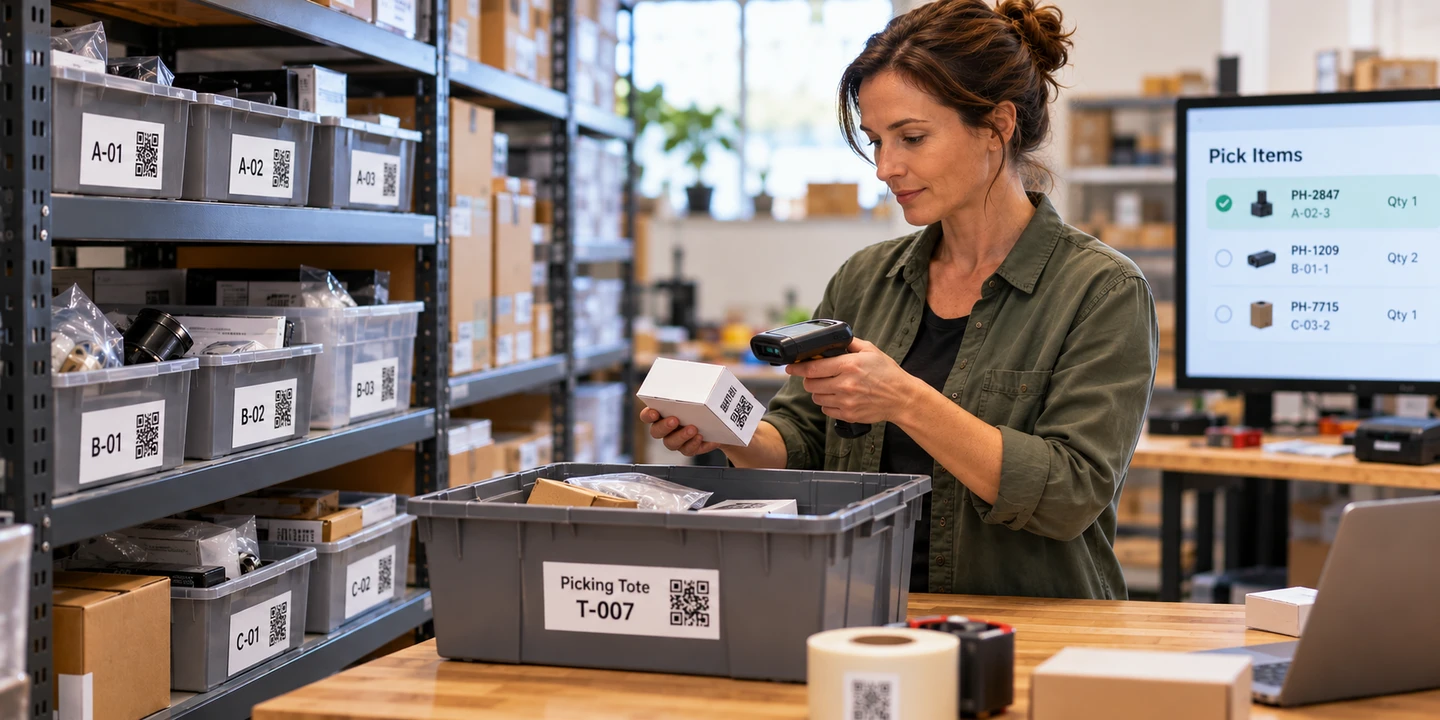
Your listing software manages listings, tracks orders, and keeps basic quantities. But how do you get the right item off the shelf and into your customer’s hands?
At a small scale, the quantities in your listing software and your knowledge of the shelves may be all you need. But as you stock more items, spread them across more shelves, and process more orders, the work behind each sale becomes more complicated. You need to know where each item is stored, confirm you’re picking the right one, and keep inventory quantities accurate as items come in and go out.
That’s where warehouse inventory management comes in. A warehouse management system gives the physical work behind each order a repeatable process: recording where items are stored, verifying that the right items are picked, tracking what is actually on hand, and keeping available quantities in step with what happens on the shelves. Ordovee connects that work to your eBay and Shopify listings.
Know where every item is stored
An item you can’t find is an order you can’t fulfill.
A location is simply an identifiable place where inventory is stored — a shelf, a rack, or a container of small items. Each location gets its own code and a printed QR label.
A handheld scanner or a phone camera can read the QR codes on those labels. When you put an item away, you scan the location label first, then the item’s label. Ordovee records the inventory at that location as you scan.
Items can be stored wherever there’s room, and Ordovee records where they’re placed. Search a SKU and you get every location holding it. Search a location and you get everything stored there.
Organize a warehouse one shelf at a timeVerify the right item for the right order
When an order comes in, the items need to be collected from their shelves and prepared for packing and shipping. A repeatable process makes each pick consistent and traceable — what was taken, where it came from, and which order it belongs to.
To keep orders separate, each order is assigned a labeled container, called a tote, for collecting its items. Ordovee connects the tote to the order, so every item picked from the shelves has a specific destination that can be verified.
Ordovee guides each pick through three steps: identify the location where the item is stored, verify the correct item and quantity being picked, and confirm the items are going into the correct tote for that order. The handheld or phone walks you through each step, prompting you to scan the location, item, and tote labels at the right moment.
At each step, Ordovee requires the correct scan before allowing you to move on. If a scan is missed or incorrect, the workflow stays at that step until the issue is corrected.
Each confirmed pick is written to the inventory ledger as it happens: what was picked, from where, who picked it, and when.
Walk a full picking sessionVerify what’s actually in stock
Inventory counts can be wrong long before anyone notices. Sometimes the discrepancy only becomes apparent when an order needs to be filled and the expected item isn’t on the shelf. Counting the entire warehouse can uncover these problems, but stopping work to count everything at once is disruptive. Ordovee provides two ways to check inventory while orders keep moving.
A rolling cycle count works through the warehouse a group of locations at a time. Ordovee remembers where the last count sheet ended, so each new sheet picks up from there and the process gradually covers the entire warehouse. Previously used locations recorded as empty are included too, ensuring that a zero count is verified rather than assumed.
A High-Turn Inventory Check takes a more targeted approach, focusing on items with recent inventory movement. Each movement is another chance for a count to go wrong, which makes these items useful to check between broader rounds of cycle counting.
When a count is off, the correction goes in as an adjustment with a reason. The ledger records it as its own entry — who made it, when, and why — and everything before it stays in the history.
How the rolling cycle count covers every locationStill on the shelf. Already spoken for.
Every order creates a gap between when it is placed and when its items are physically picked from the shelves. During that time, the inventory is still on hand, but it’s already committed to the order. The challenge is making sure that commitment is reflected in the quantities available to sell across eBay and Shopify.
When Ordovee processes a matched order line, it reserves the quantity for that order and subtracts it from the available quantity. With auto-push enabled — off by default on new connections — the next quantity push sends the updated number to matched eBay and Shopify listings.
An item may be offered in multiple eBay listings, on Shopify, or both. Those listings all draw from the same inventory on your shelves. With auto-push on, Ordovee sends the warehouse’s available quantity to each matched listing, so an order from one channel is accounted for when updating the others.
Selling the same inventory across multiple marketplaces creates a timing challenge for every inventory system: a second sale can happen before quantity updates reach the other channels. Ordovee narrows that window by reserving inventory as orders are processed and, with auto-push on, pushing updated quantities to matched listings. The risk cannot be eliminated completely, but the window can be reduced.
Why a one-of-a-kind item sells twice, and how the window narrowsAdd warehouse management without rebuilding your listings
Creating and maintaining listings takes work. Adding warehouse management shouldn’t mean doing that work all over again. Ordovee connects directly to eBay and Shopify and reads the listings you’ve already created. It uses their SKUs (Custom Labels on eBay) to match them to items in your warehouse. If those identifiers are already in place, your existing listings don’t need to be changed.
You can continue using eBay’s Seller Hub, Shopify’s tools, or third-party listing software to create and manage your listings. What changes is which system controls inventory quantities. Ordovee becomes your inventory system of record, so quantity synchronization in your other listing tools must be disabled for the channels Ordovee manages. This prevents multiple systems from sending competing inventory updates.
Ordovee provides tools to bring your existing listings into the inventory system. If a listing already has a SKU but the corresponding item doesn’t exist in Ordovee, you can create that item using the listing information you’ve already entered. For eBay listings missing Custom Labels, Ordovee’s Clean SKUs workflow helps you assign them and verify the changes on eBay. Once the listings are connected to their items, they can participate in warehouse inventory management and quantity synchronization.
With auto-push on, Ordovee sends available quantities directly to your matched eBay and Shopify listings without changing their titles, photos, prices, or descriptions. New listings are brought in through scheduled synchronization, or you can request a sync when needed.
Listing coverage helps identify items you have in stock but haven’t listed for sale. Unmatched or SKU-less eBay listings are also surfaced for review.
Pull new eBay listings in on demandKeep your sales channels and warehouse connected
When selling and fulfillment happen in different systems, keeping information moving between them can become another manual task. Ordovee connects directly to eBay and Shopify, bringing marketplace activity into the warehouse workflow and, with auto-push on, sending updated inventory availability back to your listings.
Comes in
- Orders and their updates from eBay and Shopify enter one fulfillment workflow.
- Completed marketplace cancellations release the inventory still reserved for those orders.
- Existing listings are read and connected to inventory through their SKUs.
Goes out
- Updated available quantities are sent directly to matched eBay and Shopify listings when auto-push is enabled.
Stays where it is
- Listing content, including titles, photos, prices, and descriptions, continues to be managed by your existing selling tools.
- Postage and tracking remain with your marketplaces and selling tools. Ordovee reads shipped status back to keep the warehouse workflow current.
Every sync and push run is logged with its time and result, so you can see when a connection last ran and what it did.
How eBay and Shopify sync works, step by stepYour listings already sell. Let’s make sure your warehouse delivers.
As inventory and order volume grow, the work behind each sale can become the real bottleneck. Ordovee gives that work a structured process, while your existing listing tools continue doing what they already do.
You don’t need to reorganize your entire warehouse to get started. Begin with the shelves you already have, print location labels as you go, and use a phone for scanning. Add a dedicated handheld scanner when your workload justifies it.
Comparing systems? Use our inventory software demo checklist to see what vendors should be able to demonstrate using an item from your own inventory.