Inventory should not just tell you how many parts you have. It should be able to explain how that number got there.
That is the difference between tracking inventory as a counter and tracking it as a ledger.
When the system and the shelf disagree
You walk to location B-04 expecting eight of a part.
You count six.
Now you have two questions:
What should be here?
And more importantly:
What happened to the other two?
If inventory is stored as a single number that gets overwritten every time something changes, there is not much to investigate. The system knows the current number someone entered, but not necessarily the path that produced it.
Ordovee handles inventory differently.
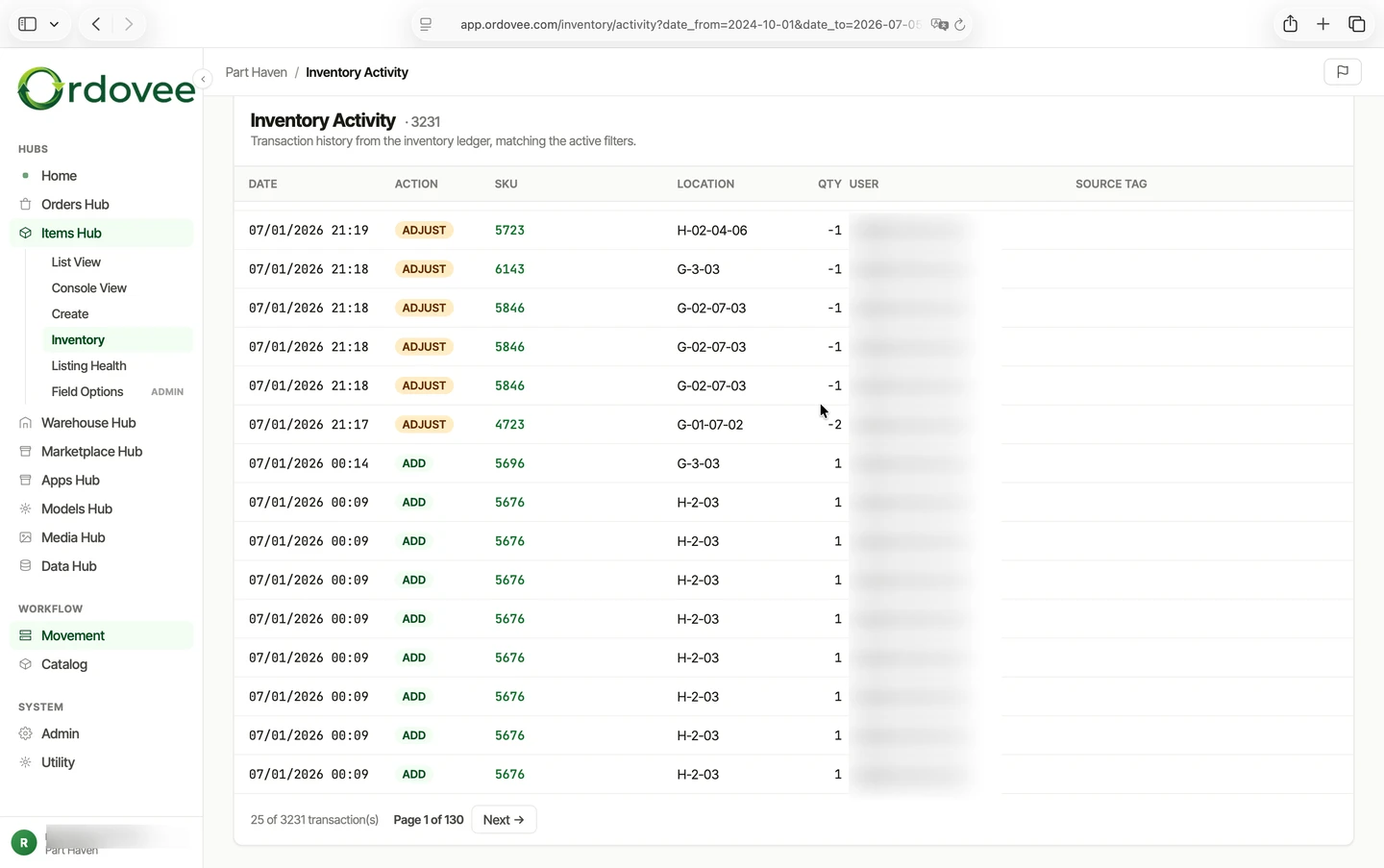
Every addition, removal, transfer, and adjustment is recorded as its own inventory movement. Those movements form the inventory ledger.
Instead of one number repeatedly changing from 10 to 8 to 6, you have the individual actions that explain why the quantity changed.
That matters the moment something does not look right.
What an inventory ledger records
Imagine one SKU at one location over a week:
| Date / Time | Action | Qty | Location | User | Reference |
|---|---|---|---|---|---|
| Mon 9:00 AM | ADD | +10 | B-04 | Patrick | Receipt #2104 |
| Tue 1:42 PM | REMOVE | −2 | B-04 | Maria | Order #4821 |
| Wed 11:15 AM | REMOVE | −2 | B-04 | Patrick | Order #4830 |
| Thu 4:08 PM | TRANSFER | −2 | B-04 → C-12 | Maria | Transfer #T-318 |
| Fri 10:30 AM | ADJUST | −2 | B-04 | Patrick | Missing on cycle count |
You do not just see that B-04 now contains two units.
You can see how it got there.
Ten came in. Four left with orders. Two moved to another location. Two were removed after a count found them missing.
That history is the point of the ledger.
When someone asks why the quantity is two, you do not have to reconstruct the week from memory, marketplace orders, and handwritten notes. The movements that produced the count are already recorded.
A counter gives you a number. A ledger gives you the path.
A normal quantity field answers:
How many do I have right now?
A ledger can also answer:
- How did I get to that quantity?
- When did it change?
- Who or what caused the change?
- Was it received, sold, moved, or corrected?
- What order, transfer, or reason was attached to it?
That difference may not matter much when one person is managing one shelf.
It matters a lot more once several people are handling inventory, parts exist in multiple locations, and orders are arriving from more than one sales channel.
By the time you discover a discrepancy, the useful question is rarely just what number should this be?
It is what happened?
The four ways inventory changes
Every quantity change in Ordovee is recorded as one of four basic movements.
ADD — inventory comes in.
That might be stock received from a supplier, a returned part, or a usable component added after disassembly.
REMOVE — inventory leaves.
An order is picked, a damaged part is written off, or a component is consumed somewhere else in the operation.
TRANSFER — inventory changes location.
Two units leave one location and arrive at another. The movement stays linked so you can follow where the stock went without changing the total quantity you own.
ADJUST — the recorded quantity is corrected.
A physical count finds more or less stock than the system expected. The correction is entered with a reason so the discrepancy does not disappear into a changed number.
Those four movements are enough to describe what happens to inventory on the floor without throwing away the history that came before them.
Corrections do not erase the old record
This is one of the most important parts of ledger-based inventory.
Suppose the system says eight and you count six.
You do not go back and rewrite an old transaction to make the numbers work.
You investigate the discrepancy, then record a new adjustment.
The original movements remain.
The correction remains.
And the reason for the correction remains with it.
Six months later, someone looking at the same SKU can still see what the system believed before the count, what was corrected, when it happened, and why.
A correction becomes another event in the history instead of rewriting history.
How Ordovee stays fast
Recording every movement does not mean ODV has to add up years of ledger entries every time someone scans a part.
ODV also maintains a snapshot: the current quantity of each item at each location.
That gives the system two useful views of the same inventory:
- The ledger explains what happened.
- The snapshot answers what you have now.
When an inventory movement is recorded, the current state updates with it.
That means an everyday lookup stays fast. Someone scanning a SKU does not need the entire history just to find out that there are six on the shelf.
But when you do need the history, it is still there.
On hand is not always available
There is another quantity that matters once orders are involved.
Suppose you physically have eight units.
Three are already committed to orders that have not been picked or shipped.
You still have eight on hand, but only five are available for another order.
Ordovee keeps those concepts separate:
- On hand — the physical quantity recorded in inventory.
- Reserved — quantity already committed to orders (see reservation).
- Available — on hand minus reserved.
The reservation happens before the physical inventory movement.
That is important because two orders can arrive before anyone has walked to the shelf.
Once quantity is committed to one order, ODV can stop treating those same units as available to the next one.
The ledger records the physical movement when stock actually leaves inventory. Reservations handle the commitment before that movement happens.
Walking a discrepancy backward
Now return to B-04.
The system expects eight.
You count six.
Instead of immediately changing the number, open the history.
You might see:
- Ten units received Monday.
- Two picked for an order Tuesday.
- Two picked Wednesday.
- Two transferred to C-12 Thursday.
If all of those movements are correct, the history explains what the system expects to be at B-04.
Then compare that record with the floor.
Are the transferred units actually in C-12?
Was another pick made but never recorded?
Did someone put the parts in the wrong location?
Was the last physical count wrong?
The ledger cannot tell you about an action nobody recorded.
What it can do is show you everything that was recorded so you know where the unexplained part of the story begins.
That makes the investigation much smaller.
Once you determine what happened, an adjustment records the corrected quantity and the reason.
Now the investigation itself becomes part of the history.
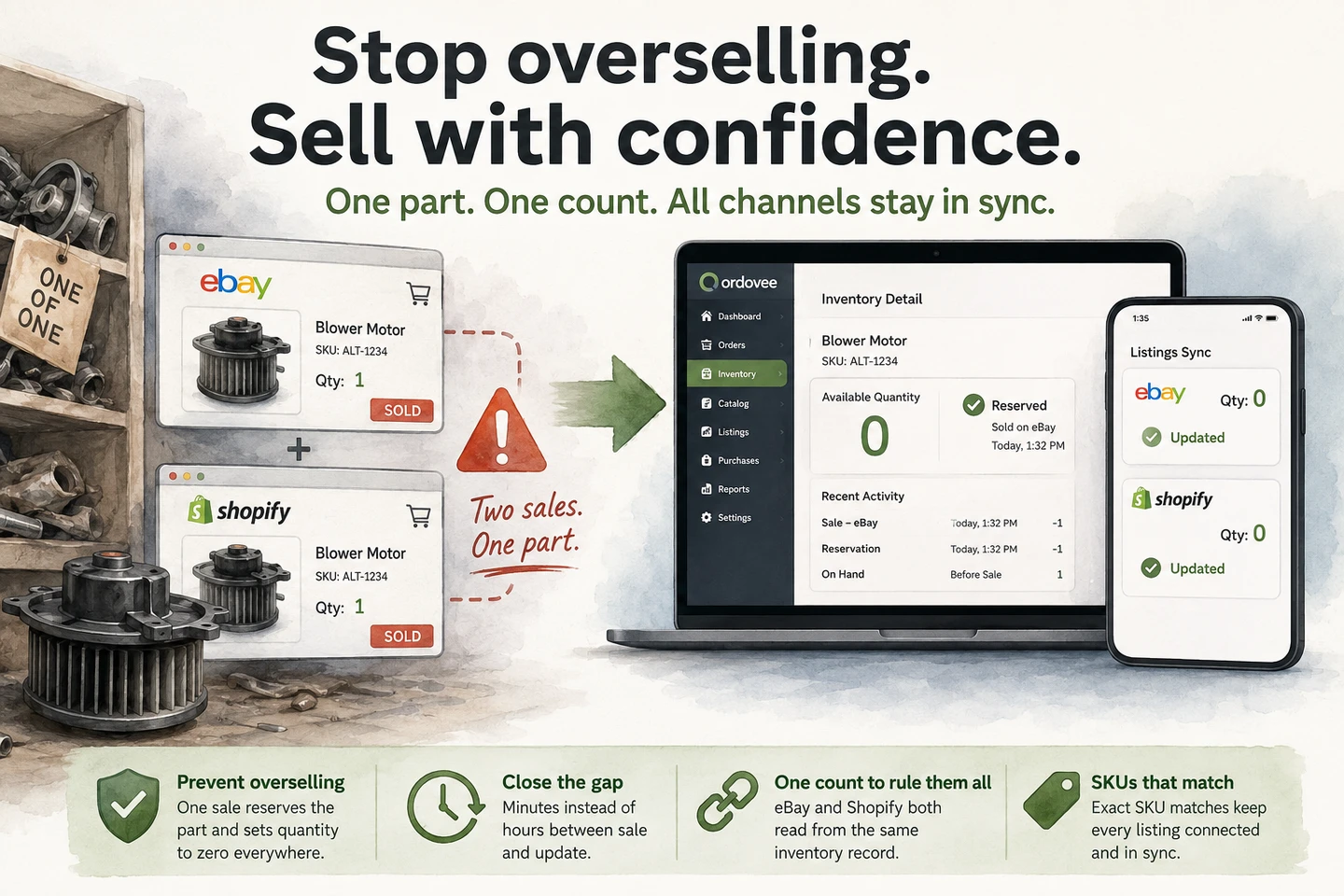
What happens when eBay or Shopify shows a different quantity?
Marketplace quantity is not the inventory ledger.
Ordovee treats its own inventory record as the system of record and pushes available quantities outward to connected channels.
If a marketplace begins showing a different quantity than ODV expects, that is drift.
The important distinction is that a marketplace discrepancy does not rewrite your inventory history.
The inventory ledger changes because something happened to stock: it was added, removed, transferred, or adjusted.
A sales channel displaying the wrong number is a synchronization problem, not an inventory movement.
Keeping those two things separate prevents a bad marketplace quantity from silently becoming your warehouse quantity.
Why the ledger matters
Most of the time, you will not think about the ledger.
You scan a part and see how many you have.
You receive inventory.
You move something to another shelf.
You pick an order.
The ledger becomes valuable when something goes wrong.
- A count does not match.
- Someone cannot find a part.
- A marketplace quantity looks wrong.
- A customer disputes what was shipped.
- A cycle count finds a shortage.
That is when a single quantity is not enough.
You need the path behind it.
Ordovee keeps that path as the work happens: what changed, when it changed, and what action produced the change.
The current quantity stays easy to use.
The history stays available when you need to understand it.
See the ledger in the wider workflow
The ledger is one piece of the inventory system. Orders create reservations, picking turns those commitments into inventory movements, transfers record where stock goes, and adjustments preserve the explanation when a physical count disagrees with the system.
See how those pieces connect in From order to shipment — the order lifecycle, or look at the broader history of changes in Who Changed What, When, and Why.
Want to see what that looks like with your own SKUs, locations, and sales channels? Walk through Ordovee with us.
→ Walk through ODV with us: See the Ledger in Action | See the Full Feature Set
See Ordovee in your operation.
See how it works with your own inventory and workflow — no slides, no canned demo.