
How Ordovee connects inventory, warehouse operations, and fulfillment.
Track every item, know where it is, and move orders from marketplace to shipment in one system, whether you sell on eBay, Shopify, or both. Inventory and fulfillment are the foundation. For parts businesses, Parts Intelligence adds specialized catalog and compatibility tools as a third connected layer.
SKUs, locations, handheld workflows, eBay and Shopify sync, and compatibility all work from the same operational record.
One view of what you have, where it is, and what changed.
Know what inventory you have and where it is. Current counts and movement history are visible from the same inventory record.
Inventory visibility
Every confirmed inventory movement — receiving, picking, transfers, and adjustments — is recorded in Ordovee’s ledger, so the warehouse and back office work from the same inventory state.
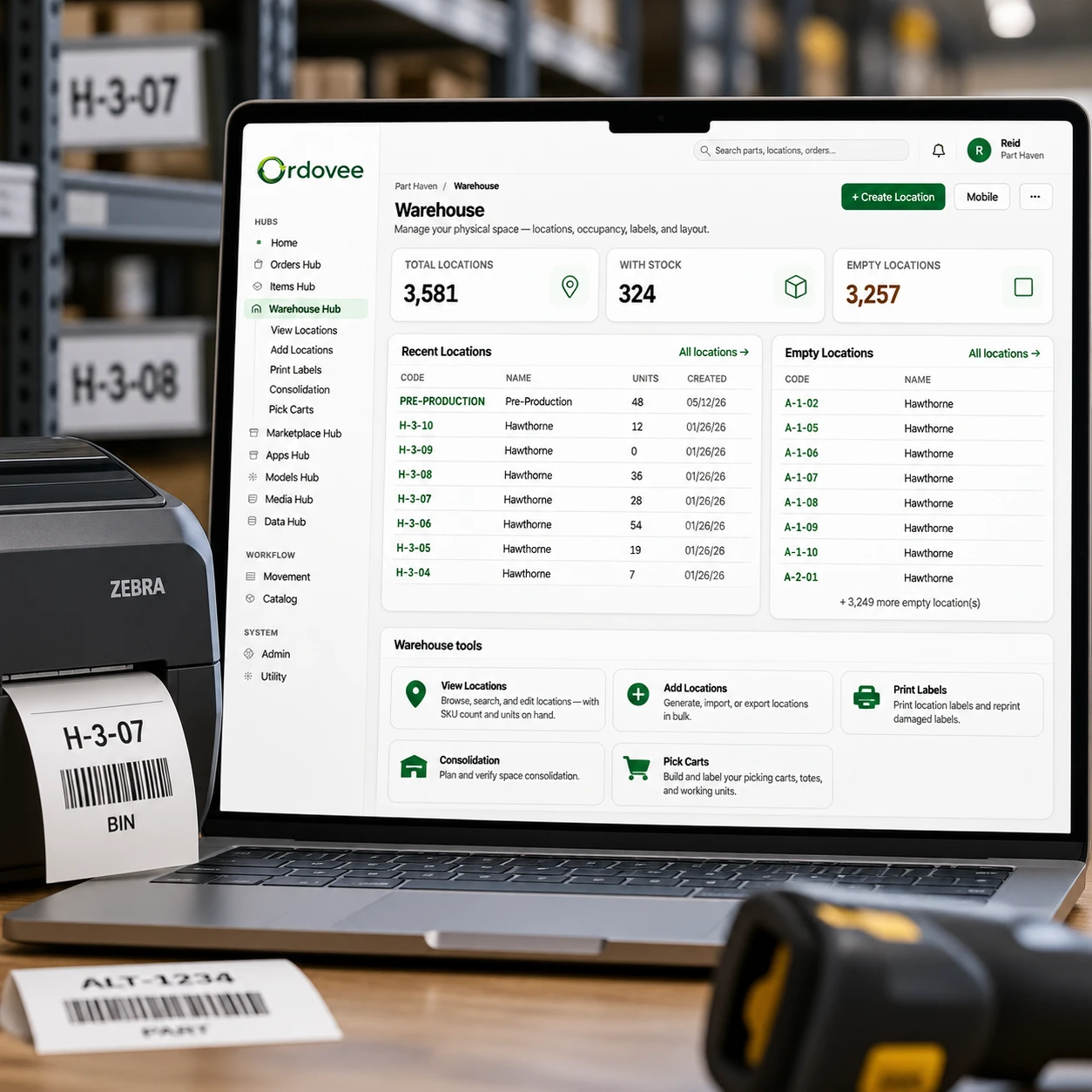
Coded storage locations
Wherever you keep your inventory, map it once. Every storage spot — a shelf, rack, cabinet, or second building — gets a location code, and Ordovee tracks the inventory stored there.
Inventory history
A ledger of every add, remove, transfer, and adjustment — recorded with who did it and when, with reasons captured for stock adjustments. A clear record you can follow.
SKU & location labels
Generate QR labels for SKUs and locations in Ordovee and print the PDFs on your thermal printer.
Orders in, shipments out — one workflow from start to finish.
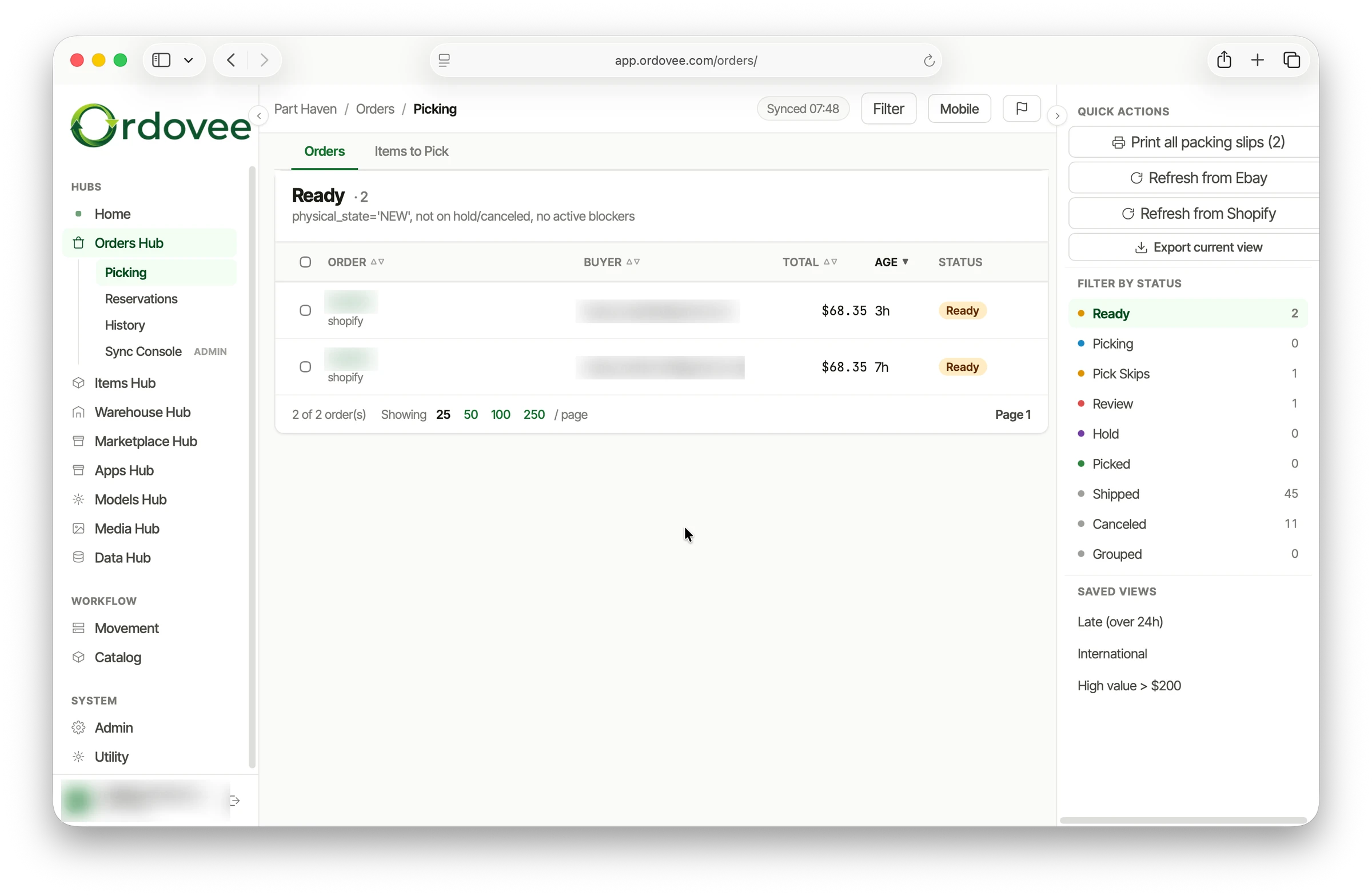
Manage orders, picking, packing, and fulfillment. As matched order lines are processed, Ordovee reserves their quantities from available inventory.
Order import
Orders from your connected marketplaces are placed into one queue, with line items matched to the inventory in your warehouse.
Reserved for the order
When a matched order line is processed, Ordovee reserves the requested quantity. That lowers available quantity; with auto-push enabled, the lower available quantity is sent to matched marketplace listings on the next push.
Handheld picking
Pick each order with the handheld — scan the location, scan the item, drop it in the tote, scan the tote, move to the next order.
Marketplace sync
With auto-push enabled, Ordovee sends the current available quantity to matched eBay and Shopify listings as inventory and reservations change. That keeps marketplace quantities aligned with Ordovee’s available inventory without requiring manual updates. If a marketplace count drifts from the quantity Ordovee last sent, a scheduled check lists that SKU for you and queues it to be sent again; a successful push sends Ordovee’s current available quantity back.
The catalog you build, not the one you license.
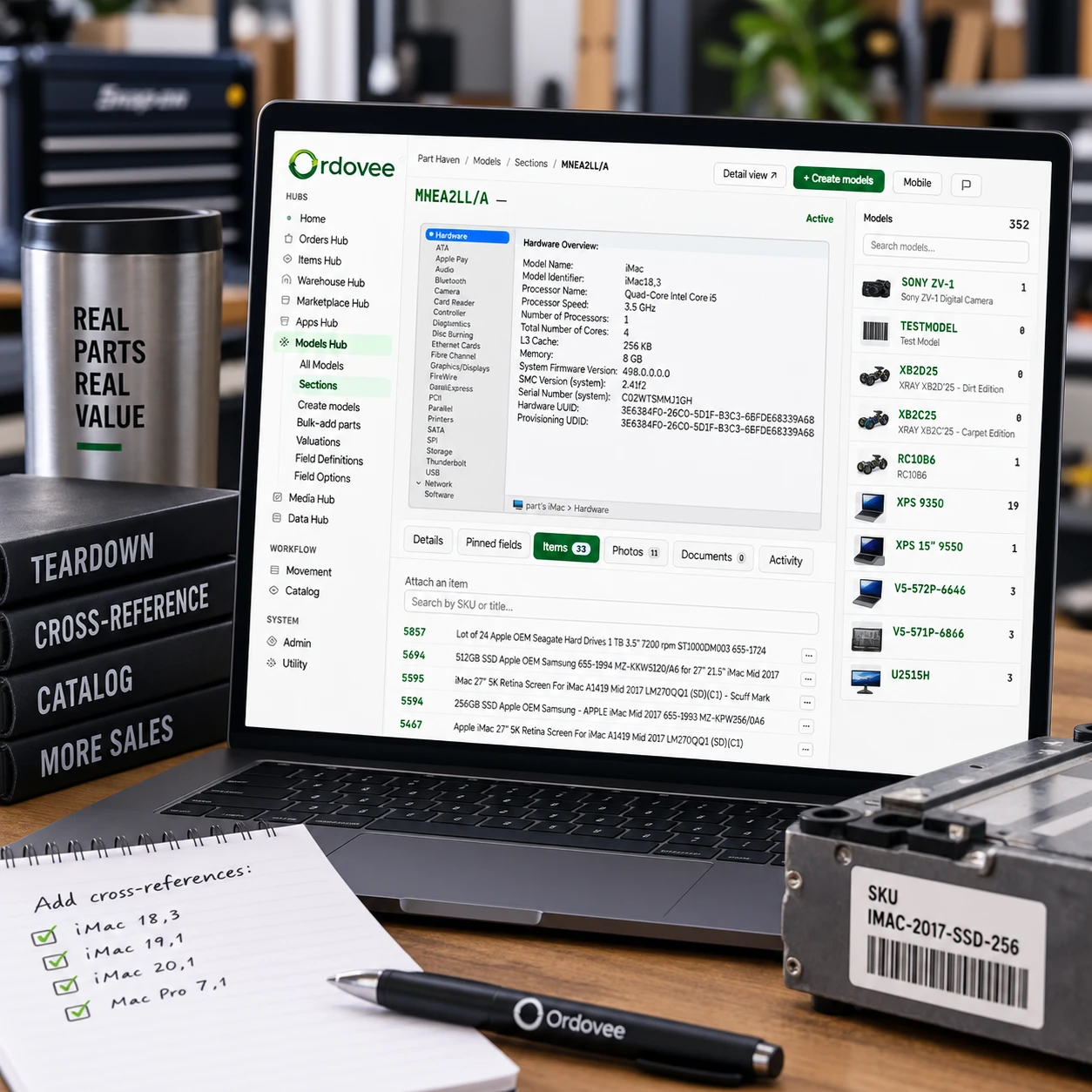
Use specialized cataloging and compatibility capabilities when your business needs them. Inventory control and fulfillment work without them. In a parts business, your knowledge is one of your most valuable resources — and historically one of the hardest to capture. Ordovee turns that knowledge into a searchable catalog: as you work, parts are linked to the assemblies and models they fit. The cross-reference grows from records your team creates and verifies. See how shops build a spare-parts catalog from what crosses the bench.
Part ↔ Source Assembly cross-reference
Parts are linked to the assemblies they fit — starting with the one they came off. Ordovee organizes those relationships so you can search from either direction.
Your work, our system
Cross-references come from your own teardowns and verification, not from a third-party feed. Your team decides which relationships belong in the catalog.
Knowledge retained
Knowledge that once lived in memory and person-to-person training now lives in a searchable record your team can return to later.
Export any time
Full CSV export of parts, source assemblies, and cross-references — one row per part-to-assembly pair, so the relationships remain intact in the export. Your data, in an open format, whenever you need it.
Ordovee is your system of record.
Your inventory, movement history, workflow state, and compatibility data live in Ordovee as the authoritative operational record. Marketplace orders can originate on eBay or Shopify; once matched order lines are processed, reservations, inventory movements, and resulting quantity changes are recorded against that same inventory.
Marketplace sync extends from that foundation. Ordovee does not silently rewrite inventory to match an outside number. Quantity updates start with recorded inventory events in Ordovee and, with auto-push enabled, flow outward to connected channels.
What Ordovee does — and where to learn more.
Open any capability for the guide that walks through it. To see them all on one unit, run the demo checklist.
Your inventory, your catalog, your workflow — in one system.
Every account includes 3 hours of guided launch — we help you import your catalog, connect eBay and Shopify, and get your team scanning.