A label is only useful if it is still readable the day you go looking for it. In a parts operation, that sticker rides through grease, gets handled a hundred times, and may sit on a shelf for a year before the part sells. Choose the wrong size or the wrong stock, and you are reprinting labels instead of pulling orders.
Two choices decide whether a label lasts: its size, matched to where it goes, and its material — the label stock — matched to how much abuse it has to survive. Neither depends on which inventory system prints the label.
What size label for each job?
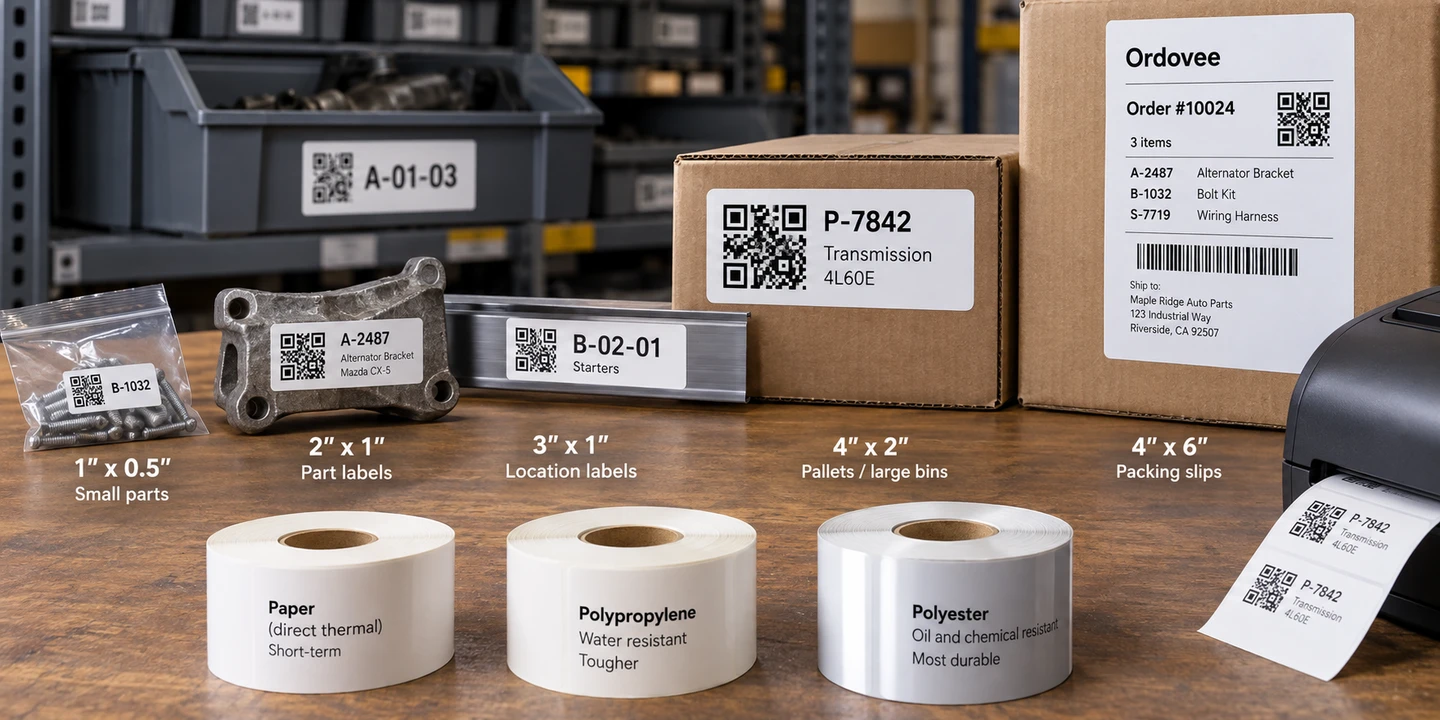
Match the label to the surface, not to the part. A 2x1 inch label is the default for part and location labels; step up to 4x2 for large location labels and anything read from a distance, drop to 1x0.5 for the smallest parts, and use 4x6 for packing slips and large-format labels.
Here is how the sizes line up with the work:
- 2” x 1” — the default. Part (SKU) labels, location labels, cart and tote labels. Big enough for a QR code plus a line of SKU text and a short description, small enough to fit almost anywhere.
- 3” x 1” — wider location labels. Same height as the 2x1, but wider, giving longer location codes and descriptions more horizontal room along a shelf rail you read while walking.
- 4” x 2” — large location labels and read-at-a-distance jobs. Room for a bigger code, plus text you can see without leaning in.
- 1” x 0.5” — the smallest parts. For a part where a 2x1 sticker would wrap around the item. It can still hold a scannable code if the label carries little else — more on that below.
- 4” x 6” — packing slips and large-format labels. The standard packing-slip size, and also a label size when a part or location label needs substantially more room.
The 2x1 does most of the work in a warehouse. It carries the same SKU text your team scans during a pick, so the code on the sticker and the SKU in the system stay one and the same — the groundwork covered in SKU strategy.
These sizes are recommendations, not one universal set: label tools offer different presets. The free label generator offers 2x1, 3x1, 4x2, and 1x0.5. To see a size at actual size before you buy stock, pick one there, download that label as a PDF, and print it at 100% scale, not “Fit.”
Paper, polypropylene, or polyester — what survives a parts shop?
For most indoor part and location labels, direct-thermal paper is enough, and for labels you reprint often, like a pick ticket or a packing slip, it is the cheap and obvious choice. Where a label has to survive grease, sunlight, or years in a harsh corner, the material matters: polyester with a thermal-transfer print is the durable one.
The question to ask of every label is how long it has to live, and where. A location label stays on the shelf through many rounds of stock; a packing slip is done the day the order ships.
- Paper (usually direct thermal). The cheapest option, and the right one for short-lived labels you will reprint anyway. Under grease or long sun exposure it smears and fades over time, so it is a poor fit for a tag that lives near grease or in the sun.
- Polypropylene. A plastic film that resists water and tearing — a middle ground that shrugs off damp and handling better than paper without the cost of polyester.
- Polyester — the durable choice for demanding labels. Paired with a compatible wax/resin or resin ribbon, it holds up to oil, solvents, and abrasion and keeps a crisp code for years. This is the stock for a part or location label that has to outlast grease, solvents, or years on the shelf — whether the part came out of a car, a computer, an HVAC unit, or a tractor.
Direct thermal or thermal transfer — what’s the trade-off?
A direct-thermal printer creates the image in heat-sensitive media, so there is no ribbon to buy. It works well for short-lived labels, but prolonged heat, light, abrasion, and some chemicals can eventually make the image unreadable.
A thermal-transfer printer transfers ink from a ribbon onto the label. The durability depends on both the stock and the ribbon. For a long-lived part or location label, polyester paired with a compatible wax/resin or resin ribbon is a strong starting point, especially where abrasion, moisture, oil, or chemicals are part of the environment.
Reprintable labels and most indoor labels: direct thermal. A tag that has to survive grease, sunlight, or years on a shelf is where thermal transfer on polyester earns its keep, and that needs a printer that takes a ribbon. For real-world printer picks, the Hardware Guide has the specifics.
How small can a part-label QR code be and still scan?
There is no single physical QR size that guarantees a scan. What matters is the size of the individual squares in the code, the amount of data encoded, the printer’s resolution and print quality, and the scanner you use.
A 2x1 label gives you comfortable room for a QR code, SKU text, and description. A 1x0.5 label trades away scan margin to fit a much smaller surface, so treat it as a close-range label and test it with your actual SKU lengths, printer, and scanner before buying a case.
If the label needs to scan from farther away, use a larger label and give the code more physical space. Do not choose the size from a distance formula — print one and test it at the distance where your team will actually scan it.
QR earns its place on the tiny label because it packs a whole SKU into a small square that does not have to be lined up in one fixed rotation. A 1D barcode needs more width with every character: a short number can fit, but a longer or lettered SKU runs out of room fast.
Why print a test before you buy a case?
Print one label, stick it where it will actually live, and scan it from the distance it will really be read at before you commit to a full case of stock. A code that looks crisp on screen can still miss if the printer runs too light or the size is wrong.
A few things to check on that test label:
- Scan it from the real distance and angle it will be read — on the shelf, in the aisle, off the part in hand. A label only earns its keep when it scans on the first try in a live picking session.
- Wipe it with a little grease if it is a permanent label, then scan again. That quick test shows whether the print smears. Fading from sun, heat, or months on the shelf takes longer to show, so weigh how long the label has to live as well.
- Confirm the print is dark enough. If the print is faint, try a slower print speed and make small darkness adjustments before assuming the printhead is worn out. Use the lowest darkness setting that gives you a clean, reliably scannable code — too much darkness can hurt barcode quality. Thermal printer setup walks through the settings.
Testing one label matters more than it sounds once you print in batches: a wrong size or a too-light setting repeats on every label in the run.
How this fits Ordovee
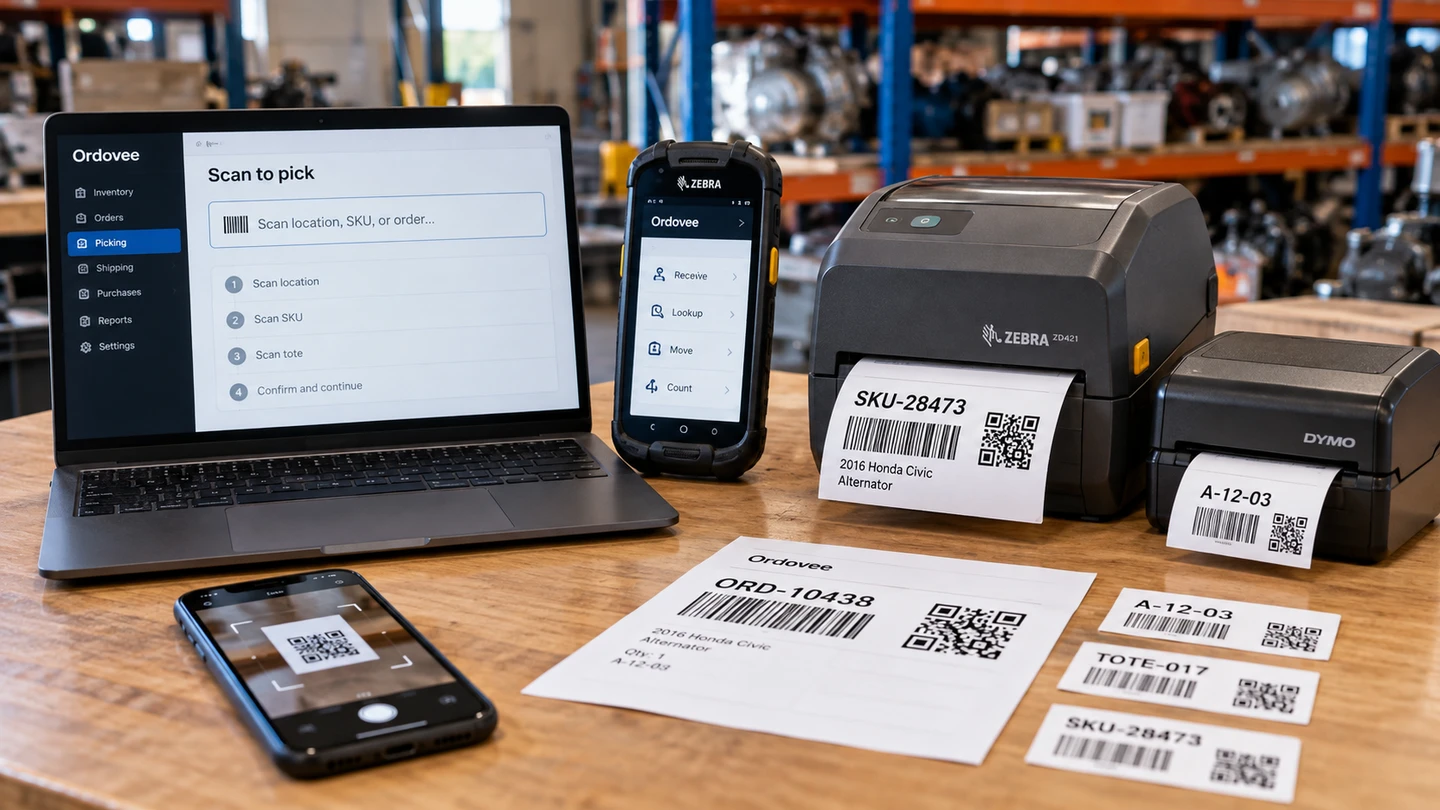
Ordovee generates SKU labels, location labels, and packing slips as correctly sized PDFs, so the stock and printer stay your choice: direct-thermal paper or polyester with a ribbon. Its SKU and location labels use 2x1, 3x2, 4x2, or 4x6 presets — 2x1 by default — and its packing slips are 4x6. Those labels carry a QR code encoding the SKU or location code in a small square that does not have to be lined up in one fixed rotation.
For a large labeling job it builds a single multi-page PDF of up to 500 labels, for SKUs or for locations — exactly when one test label pays for itself. The product overview shows where labels fit into the rest of the workflow.
→ Build and print a label now, free: Free Label Generator → QR or a 1D barcode for your parts? QR vs 1D barcode labels → Get a thermal printer dialed in: Thermal printer setup → Not sure which stock fits your parts? Ask us what to buy
See Ordovee in your operation.
See how it works with your own inventory and workflow — no slides, no canned demo.