Something sells. You know you have it — you can picture it. Twenty minutes later you are still walking the aisles, and the item is not where you remember putting it.
That is a scale problem. When you had a few items, remembering where everything lived worked fine. Then a few became a hundred, a hundred became a thousand, and the same method stopped keeping up. Now time that should be spent receiving, listing, picking, or shipping gets spent searching.
The inventory grew. The way you were keeping track of it did not.
It gets worse as the catalog grows, and worst of all with high-SKU or one-of-a-kind inventory, where hundreds or thousands of different items may exist in quantities of only one or two. At that point memory is no longer an efficient way to locate stock.
The fix does not require shutting the warehouse down and reorganizing everything at once. It starts with one shelf and the next item that comes in.
The shutdown that never comes
Most people already know they need to organize. The reason it does not happen is that organization gets treated as a project: close for a weekend, map everything, label everything, count everything, reopen Monday with a perfect warehouse.
That weekend rarely arrives.
Orders keep coming, inventory keeps moving, and people still need access to the shelves. A project that requires the operation to stop is competing with the operation itself, and the operation wins every time. That is usually the correct decision — the work happening today is what keeps the business running.
So the method below never asks you to stop. You start improving the inventory while the operation keeps moving, then work backward through what is already there when time allows. If the cleanup takes a week, fine. If it takes six months, also fine. The important part is that new inventory stops adding to the problem.
Give the shelf a name
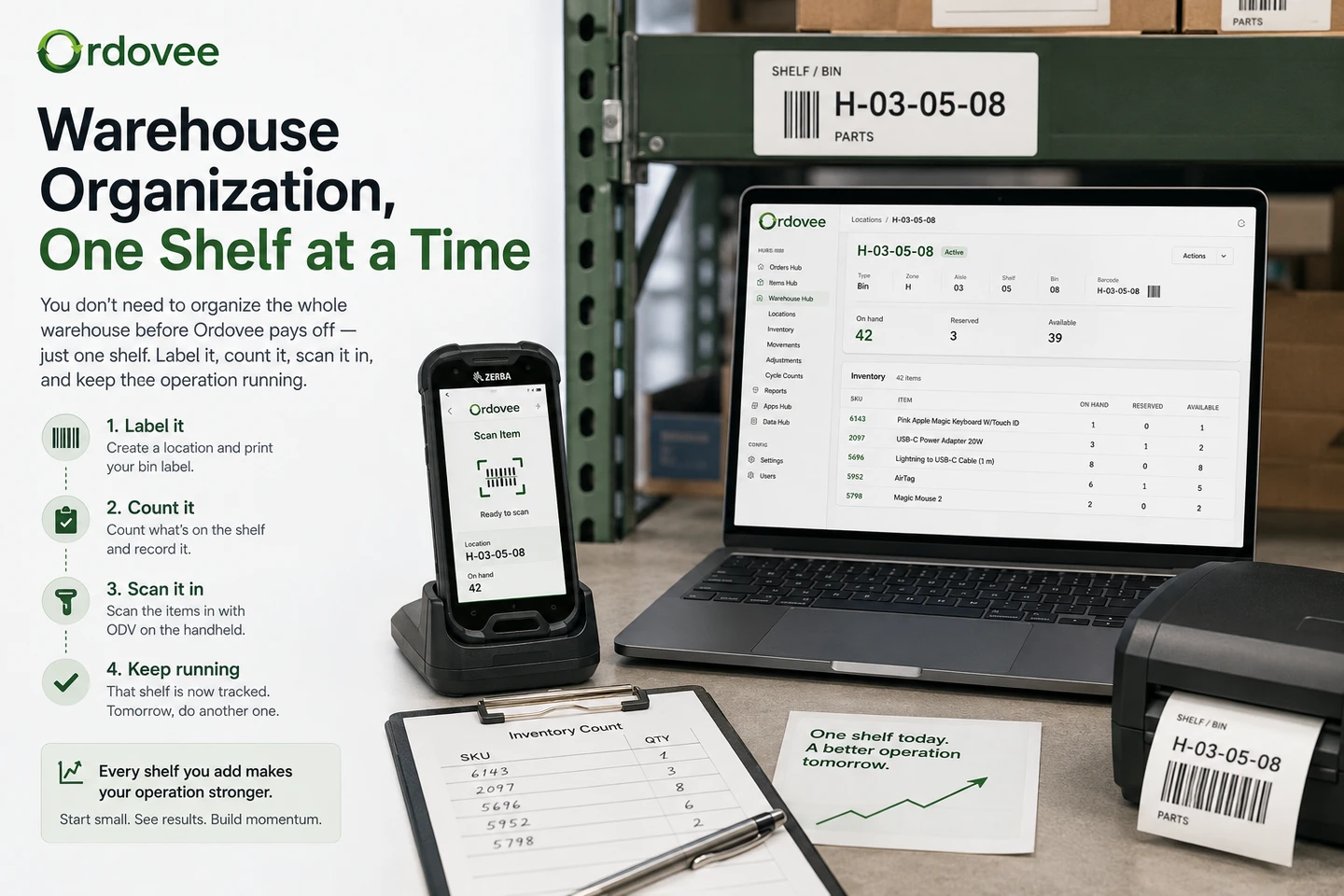
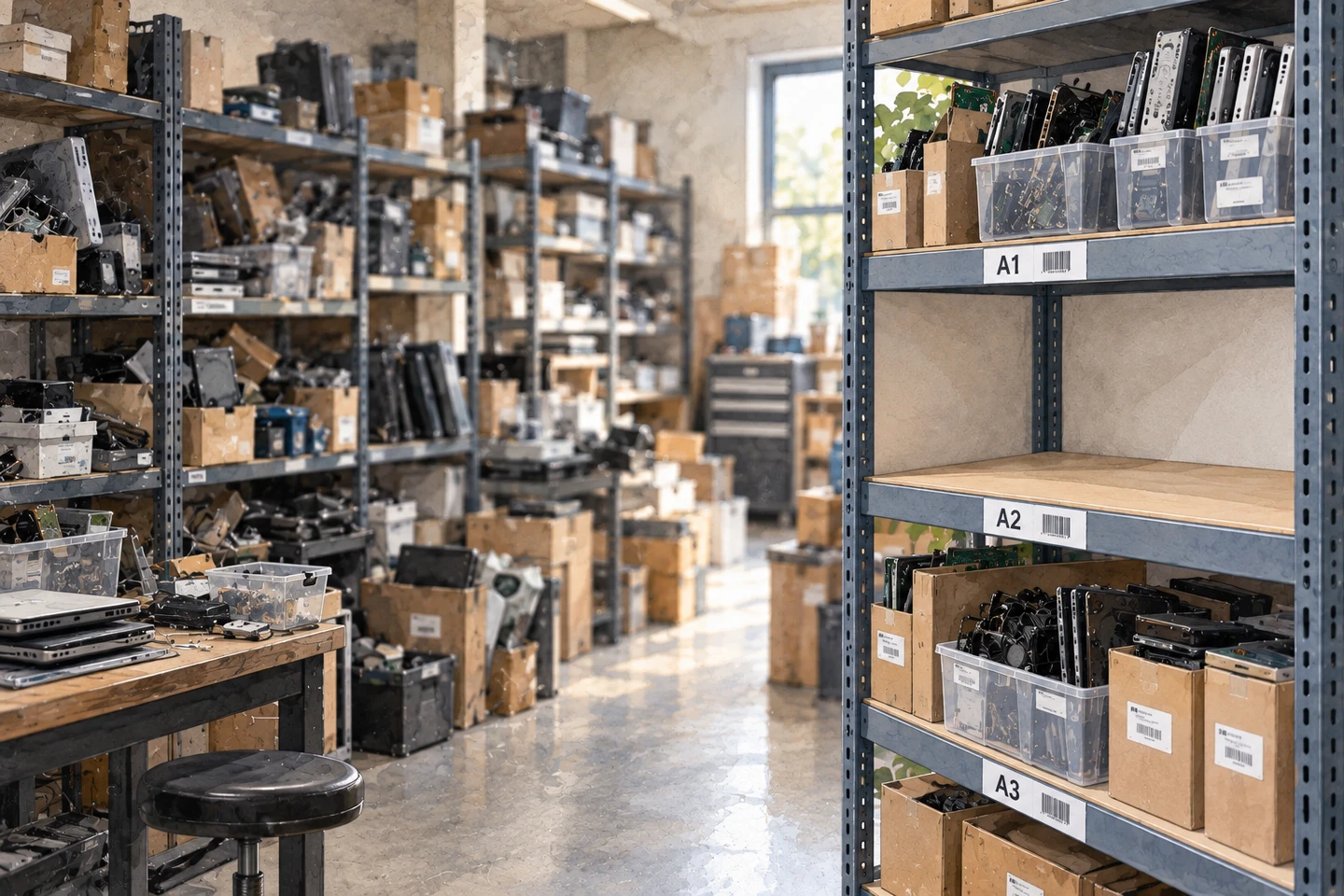
Start simple. Pick one shelf and give it a name you will recognize — Blue, Shelf 1, A1, or anything else that makes sense in your space. Put that name on the shelf, then use the same name in your inventory record.
That is enough to get started. If an item is recorded at Blue, anyone looking for it now has somewhere specific to go instead of searching the whole room.
You can worry about a more structured location system later. Ordovee lets you rename and reorganize existing locations as your warehouse schema matures, so the name you choose today does not have to be the name you keep forever.
For now, just finish this shelf.
Start with the next item
Do not start by reorganizing old inventory. Start with the next item you put into inventory.
Clear one shelf. Give it a name. Put the label on it. Then, when the next item comes in, put it on that shelf and record the location.
That is the line in the sand. From that point forward, new inventory enters the operation with a known location instead of becoming part of the old problem. You can work backward through the existing shelves whenever time allows, but the inventory coming in today is already better organized than the inventory that came in yesterday.
That changes the project completely. You are no longer trying to fix the whole warehouse before the system becomes useful — the new system starts working with the very next item, and the old inventory gets pulled into it a shelf at a time. As space fills, name another shelf and keep going.
The backlog can shrink at whatever pace the week allows. The important part is that it stops growing.
Then work backward one shelf at a time
Once new inventory is going into named locations, start cleaning up what is already there. Do not attack the whole warehouse — pick one shelf.
Record what is physically there. Give the shelf a name if it does not already have one. Put the label on it. Then stop.
That shelf is now useful. Anyone can be told where an item on it lives, the inventory there can be counted again later, and when something moves the record can move with it. A warehouse with one reliable shelf is better than a warehouse with none.
Tomorrow, do another. The organized portion grows at whatever pace the operation allows.
Which old shelf should you do first?
Do not start with the worst one.
The instinct is to attack the biggest mess because it feels like the problem that most needs fixing. It is also usually the shelf that consumes the most time before producing anything useful.
Start with the shelf you visit most often. Fast-moving inventory pays the work back immediately — if someone walks to that shelf ten times this week, you get ten chances to benefit from knowing exactly where those items are. The pile in the corner that gets touched twice a year can wait.
Name the shelf. Record what is there. Print the label. Keep working.
What to write down
For the first pass, you need four things per item:
- The SKU — the unique code that identifies the item. If your inventory does not have SKUs yet, this is the point where it needs them. The exact format matters less than uniqueness and consistency; SKU strategy goes deeper into that.
- What it is — enough description that another person can recognize it.
- Where it is — the shelf name you just created.
- How many are there — the quantity you can physically see right now.
That is enough to solve the problem you started with: where is this item, and how many do I actually have there?
Do not turn the first shelf into a data-cleanup project. Cost, supplier, condition, listing date, purchase order, margin, weight and dozens of other fields may matter to your business. They do not all need to be solved while you are trying to establish where inventory lives.
A notebook can get the first shelf organized. A spreadsheet makes the information searchable and sortable. An inventory system lets the location become part of the live record as items move. The important thing is that the shelf and the inventory record agree.
Put the name on the shelf
A shelf called Blue in a spreadsheet is not much help if nothing in the building tells you which shelf is Blue. Put the name where someone can see it.
That can be a handwritten card, a printed label, or a proper location code. The method matters less than making the physical shelf match the name in your inventory record. If you expect to scan locations later, adding a barcode or QR code now can save you relabelling it — the free label generator can create location labels one at a time.
Two things are worth getting right:
- Put the location label on the shelf. The item may have its own SKU label; those are two different things.
- Put it somewhere obvious. If someone has to move inventory around to find the shelf name, the label is not doing its job.
The item tells you what it is. The shelf tells you where it is.
Let the system grow when you need it
Do not stop after the first few shelves because you suddenly realize Blue, Shelf 1 and A1 are not the perfect long-term naming system. They do not need to be. The point right now is to stop losing time searching.
As more of the warehouse gets organized you may decide you want a cleaner naming structure, and that can happen later — locations can be renamed and reorganized as the schema matures, so starting simple does not lock you into the first names you choose.
Fix the problem you have now. Refine the system when the scale calls for it.
What actually changes
You do not have to finish the warehouse before the benefits show up. The first improvement happens with the very next item you receive. After that:
- New inventory stops disappearing into memory. Every item entering the new system gets a known location from the start.
- The answer stops depending on who is working. “Where is this?” has an answer that does not require finding the person who put it away.
- Picking becomes navigation instead of searching. When several orders arrive together, sorting them by location turns repeated searches into one route through the warehouse — the basis of scanner-first picking.
- Cycle counting becomes practical. Once inventory is tied to specific locations you can verify a shelf or section at a time instead of treating every count as a building-wide event. That is the difference between a cycle count and a full physical inventory.
- Receiving gets a destination. New stock does not have to land wherever there happens to be space and disappear into memory.
- Different inventory sources can use the same system. Whether an item arrives from a supplier, a customer return, a transfer, or parts harvesting, it still ends up with an identity, a quantity and a location.
The warehouse does not care how the inventory got there. Once it is stock, you need to know where it is.
Keep the organized part organized
There is one rule after you begin: do not create new mystery inventory while you are fixing the old inventory. That is why starting with the next item matters.
You may still have most of the warehouse untouched, and that is fine — the old inventory can be cleaned up gradually. But from the moment you clear that first shelf, new inventory follows the new method. When something comes in, put it in a named location and record where it went. When something moves, update the record. Meanwhile, whenever you have time, pull another old shelf into the system.
The old backlog gets smaller. The new backlog stays at zero. That is how the warehouse gets better without ever shutting down.
You do not need a master plan for the whole building. Clear one shelf. Give it a name. Put the next item you receive there and record the location. From that point forward, new inventory is already better organized.
Then, when you have another fifteen minutes, pick an old shelf and bring it into the system too. Keep doing that and eventually the warehouse stops being a collection of places people remember and becomes a collection of locations you can look up.
→ See how ODV keeps items, quantities and locations connected: product overview → Working out where to start with your own inventory? Let’s talk
See Ordovee in your operation.
The fastest way to know if Ordovee fits your shop is to see the workflow with your own data — no slides, no scripted demo.