An order isn’t a row in a spreadsheet
In most parts operations, an order comes in and someone scribbles it on a sticky note — or worse, tries to remember it. Maybe there’s a shared spreadsheet. Maybe there’s a whiteboard. The part gets pulled from a shelf, tossed in a mailer, and hopefully the right tracking number gets entered somewhere.
That works for five orders a week. It falls apart at fifty.
Ordovee treats every order as a record that moves through a defined workflow, with each step recorded as it happens.
What does a typical order fulfillment workflow look like?
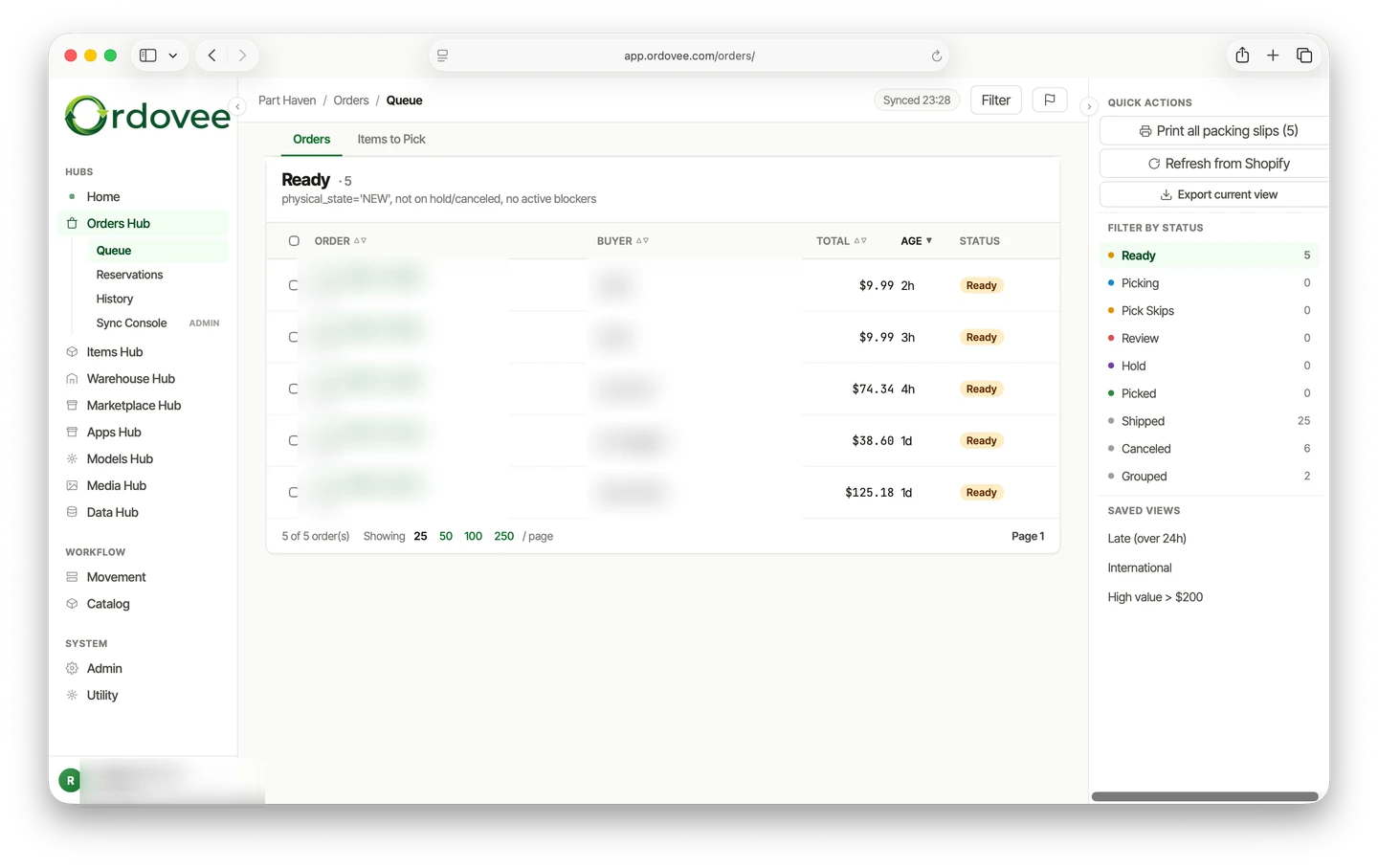
The steps below are the path a typical marketplace order takes. They are phases of the work, not a single status field: underneath, Ordovee keeps track of an order’s status, its picking progress, and what the marketplace reports, and the Orders Workboard shows the result as states such as Ready, Picking, Picked, Hold, Shipped, and Canceled.
1. Imported and matched
Orders flow in automatically from the eBay and Shopify connections you set up once. Ordovee catches duplicates — if the same order arrives twice (which happens more than you’d think), it only lands once. Ordovee attempts to match each order line to your own items by SKU. When the SKU matches cleanly, the line moves forward automatically; an unmatched line does not receive a reservation until its match is resolved.
For clean-SKU orders, there is no manual re-entry or copy-paste from marketplace dashboards.
2. Inventory reserved
When a matched order is processed, Ordovee places a reservation on the parts it needs. A reservation is a claim: those units are committed to that order, so they stop counting as available.
Reservations represent what open orders have claimed. They reduce available quantity even before the part is physically picked. If open-order demand exceeds what is on hand, Ordovee can show that shortage rather than pretending more stock exists, and the quantity it sends to your marketplaces stops at zero. Reservations ride on top of your inventory count, which is why Ordovee can tell available apart from on hand; the ledger guide walks through that distinction.
Your marketplace counts come down here, not at shipping: once auto-push is on, Ordovee sends the lower available quantity out to eBay and Shopify from this point. (Why that timing is what keeps a one-of-a-kind part from selling twice: how to stop overselling on eBay and Shopify.)
3. Picking
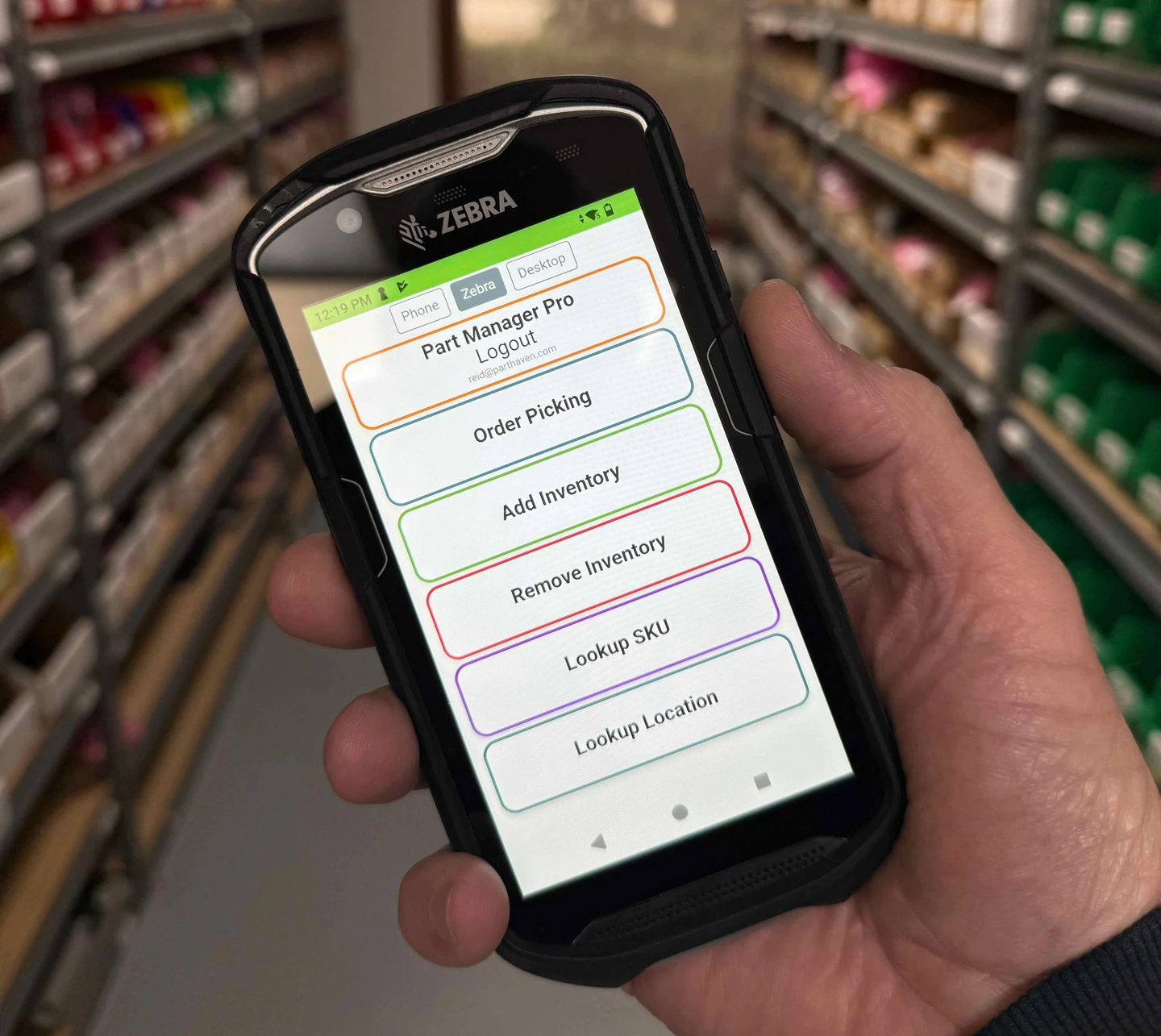
Your warehouse staff opens a picking session on the handheld. The packing slip is the way in: scanning its QR code adds the order to the session, and scanning a tote assigns the order to that tote.
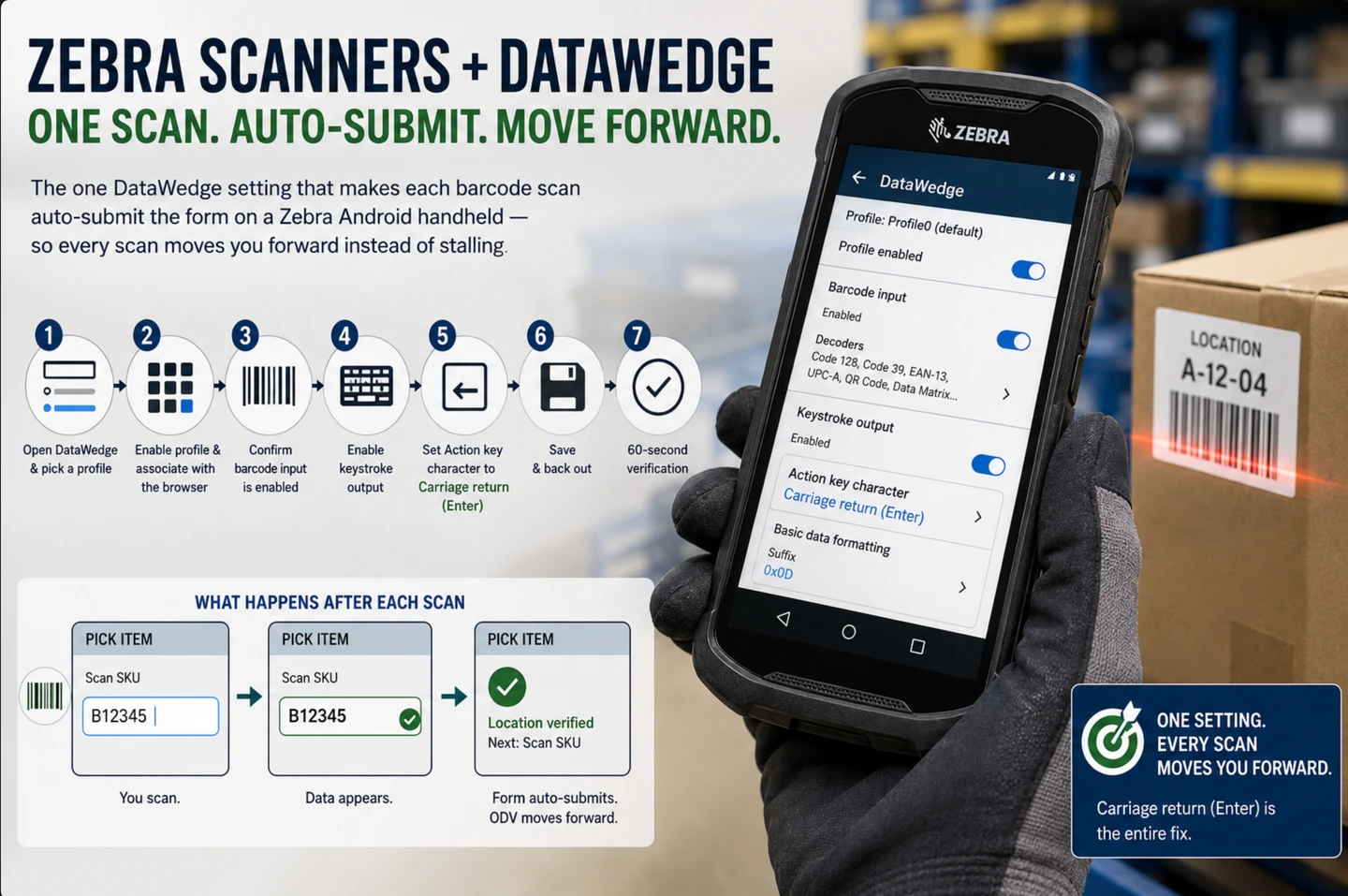
The handheld shows the SKU, item title, quantity, and Location prominently. At the shelf, the picker scans the Location, the SKU, and the assigned Tote. Ordovee records the pick only when all three scans check out — a location holding that part, the right SKU, and the order’s tote. A wrong SKU or Tote is recorded and blocks the pick. An invalid Location, or a Location that does not actually hold the expected stock, stops the pick as well. That is where a mis-pick gets caught.
Multiple pickers can run concurrent sessions without stepping on each other. If a picker gets interrupted, the session stays open, and when they come back the handheld offers to continue it or abandon it. The scanner-first picking walkthrough follows a full session from cart setup to the last scan.
4. Packing
The packing slip travels with the order through the workflow — it was printed before picking, since its QR code is how the order entered the pick session. At the packing station, the order and its packing slip give the packer the line-item record to check against what’s in the package before it is sealed. A slip can be reprinted from the order at any time.
5. Fulfillment recorded
Related orders can be grouped into fulfillment groups and their packing slips printed together.
Shipping itself happens where you already buy postage — on eBay, on Shopify, or wherever you print labels. Ordovee does not send shipment confirmations or tracking to the marketplace. When the marketplace reports an order shipped, Ordovee reads that back, shows the fulfillment and tracking information it has imported on the order, and closes the order once its picks are done. An order fulfilled away from the handheld can be recorded on its own order page: choose the location and quantity for each line, and Ordovee takes those parts out of inventory and closes the order.
6. Order history remains available
The order is done, and its history stays with it — its status changes, its picks, and the operator or system source behind them. If a customer calls six months later asking about their order, you can pull up its timeline.
What happens behind the scenes
The workflow is what you see. Underneath, three things run on their own so you never have to think about them:
- Available stays honest. When a matched order is processed, its parts are reserved, reducing what still counts as available. With auto-push enabled, the quantity Ordovee sends to your marketplaces reflects what’s actually available, not just what’s sitting on the shelf.
- The imports and quantity updates run themselves. The automation engine keeps order and quantity work moving on scheduled cycles. Stable marketplace IDs prevent duplicate internal orders, and failed sync work is logged and retried rather than silently becoming a second copy.
- Everything leaves a record. Order changes, picks, inventory movements, and sync runs leave records in their respective histories, giving you a much clearer path back through what happened when something looks wrong. Following the records shows what those records can answer when something looks off.
Multi-channel, one workflow
Whether an order comes from eBay or Shopify, it enters the same internal workflow. Your team doesn’t learn a different process for each channel. The picker doesn’t need to know where the order came from — they just see a part to pull and a location to walk to.
The Orders Workboard gives you one view across both channels. Filter by order, buyer, SKU, date, connection, state, risk flag, or whether the packing slip has been printed. See what’s waiting, what’s in progress, and what shipped recently.
Why structure matters
“We’ve always done it by hand” is a statement that works right up until it doesn’t. One missed shipment. One oversold listing. One customer dispute that costs you more than the part was worth.
Structured order processing is within reach. Every order has a status. Every status change is timestamped and attributed — to a person, or to the sync that made it. Every part movement lands in a permanent record. When something goes wrong — and eventually something always does — you can trace what happened and why.
That’s the difference between “I think we shipped that” and “Patrick picked it at 2:14 PM from location A-06, and eBay shows it shipped with tracking 1Z999…”
See it in action
The order lifecycle is one piece of Ordovee. If you’re running a parts operation and losing time to order management, let’s find out together whether Ordovee fits the way you work.
→ Set up the marketplace connections that feed this pipeline: eBay + Shopify sync → How the inventory records underneath work: Ledger-based inventory in Ordovee → Want to watch an order move end to end with your own data? Let’s talk
See Ordovee in your operation.
The fastest way to know if Ordovee fits your shop is to see the workflow with your own data — no slides, no scripted demo.