
One record for every item, and the history behind every count.
What do you have, how much of it can you sell, and what happened to it? Ordovee answers all three from one record per item. The permanent inventory ledger explains how much is on hand. Reservations explain why less of it may be available.
Inventory management is one capability of Ordovee, inventory and warehouse management software for businesses that handle the goods they sell. Those records and quantities support warehouse work, order processing, and sales-channel coordination.
See where it fits in the whole system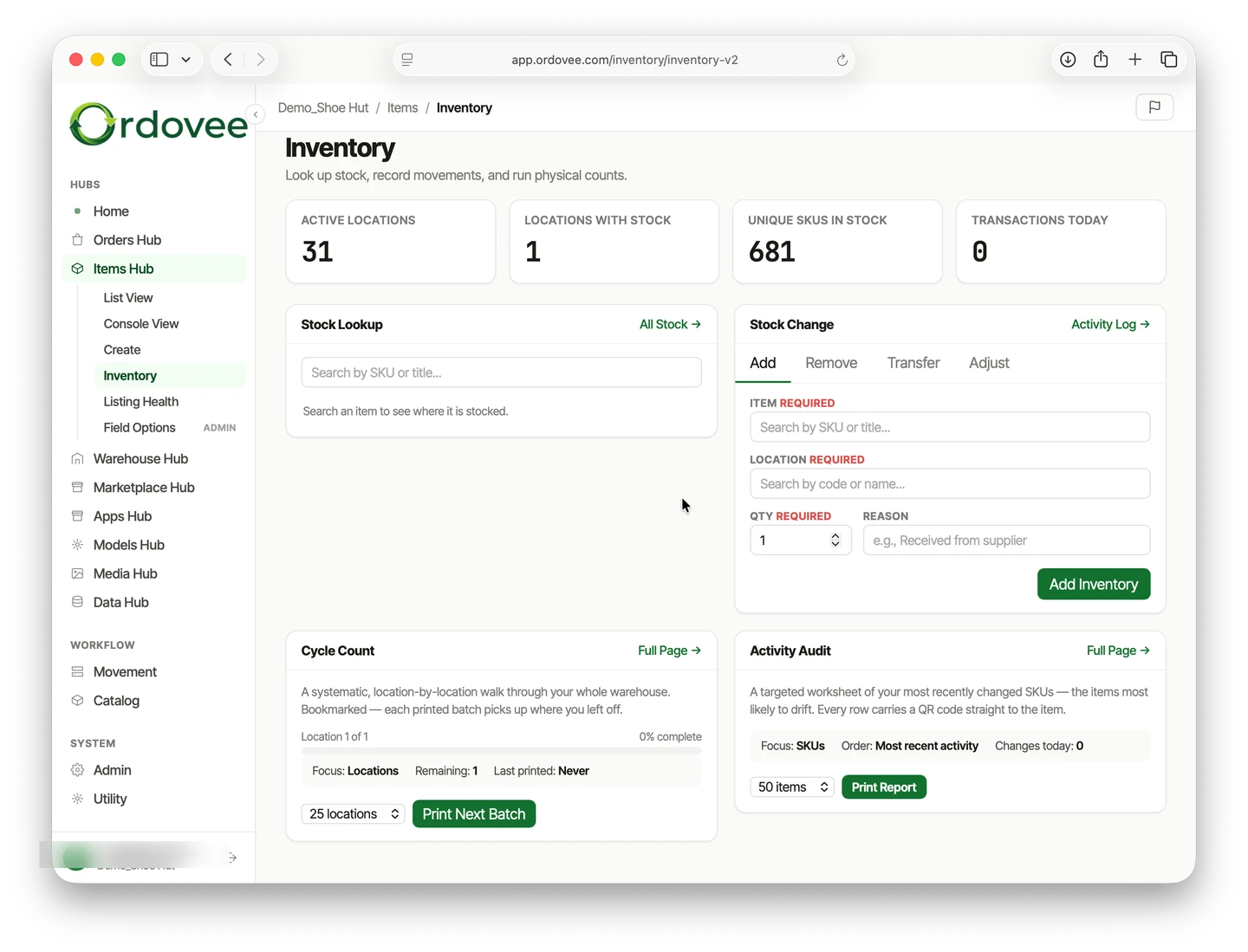
What Ordovee keeps about each item
Each item has one record, built around its SKU — the code that identifies it in your account. Screens, scans and labels use that record, while supported incoming order lines are matched to the item by SKU.
One SKU, unique to the item
No two items in your account share a SKU. Orders are matched to items by it, and item labels carry it as a QR code. Where an item has no SKU yet, Ordovee can generate one.
Details as you need them
A SKU and a title are enough to count, locate, label and pick an item. Brand, category, condition, MPN, GTIN and a description can be added later, on the item’s page or from a CSV matched by SKU.
Every location and its quantity
The item’s page lists each location that holds it, with the quantity at each, so stock kept in more than one place is still one item.
Its own history
The same page shows recorded movement activity for the item: the date, the action, the location and the quantity change, with the reason where one was given.

On hand, reserved and available
Every item carries three quantities. Reservations are why the number you can sell is often smaller than the number on the shelf.
On hand
What your records say is on the shelves, location by location. It changes when stock is added, removed, adjusted or picked for an order, and each change is a ledger entry.
Reserved
What open orders have already claimed. When a supported order line is matched to the item, Ordovee reserves the line’s quantity while the item is still on the shelf. A cancelled order releases its reservation.
Available
On hand minus reserved: what’s left to sell. With auto-push enabled, it’s the quantity Ordovee sends to matched listings.
A reservation isn’t a movement. Nothing has left the shelf, so on hand stays the same and the ledger records nothing. Only the available quantity drops. When the order is picked, the item leaves on hand and the reservation is used up.
Three ways to establish your inventory
However stock first comes in, it ends up the same way: an item record, a quantity, a location and a history.
New stock coming in
Inventory intake is how newly acquired goods are identified, recorded and put away. Once an item has a record, scan a location and its item label to add stock there, or enter stock on the desktop or from a CSV file. Items can come in one at a time or as a batch.
Stock you already have
Already selling? Existing-inventory onboarding builds item records from supported eBay listings and Shopify products that carry a SKU, or from a CSV file. Current marketplace quantities come in as opening counts to review, since an import doesn’t prove what’s on the shelf. Then you record where things sit, one shelf at a time.
Parts recovered from assemblies
Some businesses start with a complete assembly rather than an identifiable product. Structured Disassembly Management provides the approach: your team recovers and records the usable parts, while Ordovee organizes each part’s inventory record, quantities, locations and history.
Every add, remove, transfer and adjustment
Ordovee records stock changes as adds, removals, transfers or adjustments. The desktop supports all four; on a handheld or phone, you scan stock in and out.
Add
Stock comes in at a location. On a handheld or phone, scan the location, then each item. On the desktop, choose the item, the location and the quantity.
Remove
Stock goes out of a location the same ways. Picking an order removes the item too, and the removal is marked as that order’s.
Transfer
On the desktop, move an item from one location to another in a single entry, without changing its total quantity. On a handheld, moving stock takes two separate actions: remove it from the first location, then add it at the second.
Adjust
A correction is entered as the difference, plus or minus, at a location, with a required reason. You enter the change, not the new count.
Stock can also be updated in bulk from a CSV file, previewed before anything is written. Only the rows that change a quantity become movements.
The history behind every count
Every movement is written to the permanent inventory ledger as its own entry: the item, the location, the quantity change, who made it and when, and the reason, which is required on every adjustment and optional on the rest.
Entries are added, never rewritten. A correction is a new entry, and everything before it stays in the history. The on-hand quantity is built from those entries, so any count can be read back through the movements that produced it.
Across the business, the activity log lists every movement by date, item, location, quantity and the person who made it. That history is what makes Ordovee the system of record for your inventory. How the record holds up when counts, imports or sales channels disagree is covered on the technology page.
How ledger-based inventory works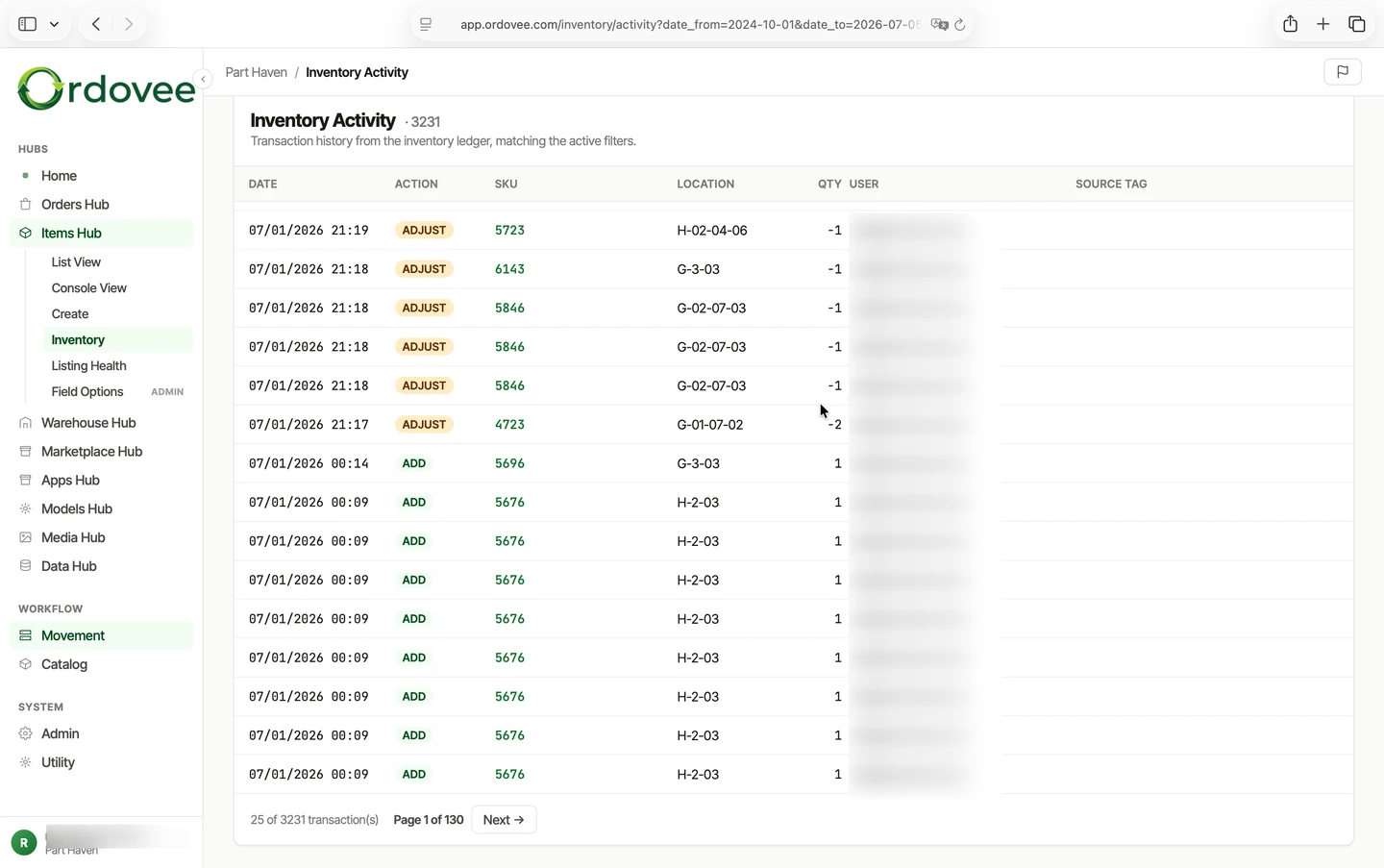
When a count doesn’t match, read its history
Sooner or later, the shelf and the record disagree. Then the question isn’t only what the right number is, but where the difference came from.
Open the item and read its activity back, movement by movement: each add, removal, transfer, adjustment and order pick. The place where the history stops matching what happened on the shelf is where to look.
Changes to the record itself are kept too. When a SKU is edited, a title changed or an item archived, Ordovee keeps the old and new values, who made the change, when, and whether it came from a screen, an import or a sync.
Found a real difference? Correct it with an adjustment and a reason. The correction joins the history rather than replacing it. Counting the shelf itself, with rolling cycle counts and high-turn checks, is warehouse work, covered on the warehouse inventory management page.
Follow a change back to who made it and whenStart with the inventory you already have
Walk through your inventory with us first, or follow the getting-started guide and begin on your own.
See pricing